
Remote List (Remote Audience)
Remote List is an advanced integration feature that allows you to fetch data from external systems (CRM, ERP, e-commerce platforms, or custom databases) via REST API and JSON format, creating automated target audiences in Supsis AI for dynamic bulk messaging.
With this feature, the need to manually download and upload Excel or CSV files is completely eliminated. Real-time customer lists and custom data parameters from your external systems can be seamlessly integrated into your bulk messaging workflows.
🌟 Key Features & Advantages
- Live API & JSON-Based Data Retrieval: Connect to any external REST API endpoint (
Endpoint URL) and import customer data directly into your platform. - Flexible HTTP Request Configuration: Supports
GET,POST, andPUTHTTP methods, custom JSON body filters, and HTTP Headers (such as API Key or Bearer Token). - Smart Parameter & Phone Field Mapping: Easily specify the customer array in the JSON response, select the target phone number column, and map dynamic parameters to be used as template variables (
{{1}},{{2}}). - Full Integration with WhatsApp Broadcast: Saved Remote Lists can be selected as target audiences in the Bulk Messaging panel, automatically populating personalized template parameters with external data.
🚀 Step-by-Step Remote List Creation
Creating a Remote List involves 3 simple steps.
1-) Remote List Management Panel & Setup
In your panel, navigate to Bulk Messages → Customer Groups / Lists and click on the Remote List tab. Click the + Create Remote List button in the top-right corner to launch the wizard.
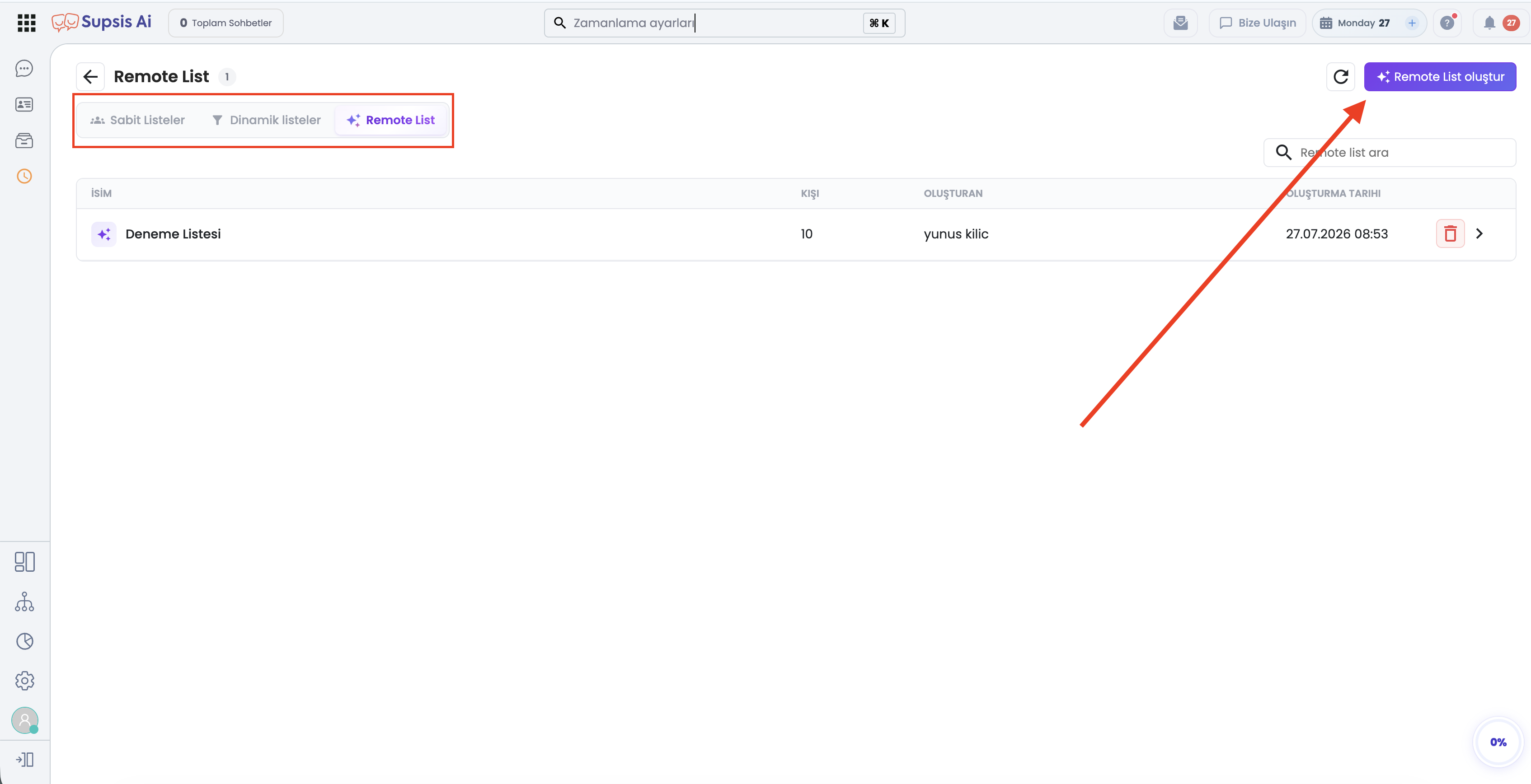
2-) Step 1: Connection Setup
In this step, enter the technical connection details for the external API endpoint:
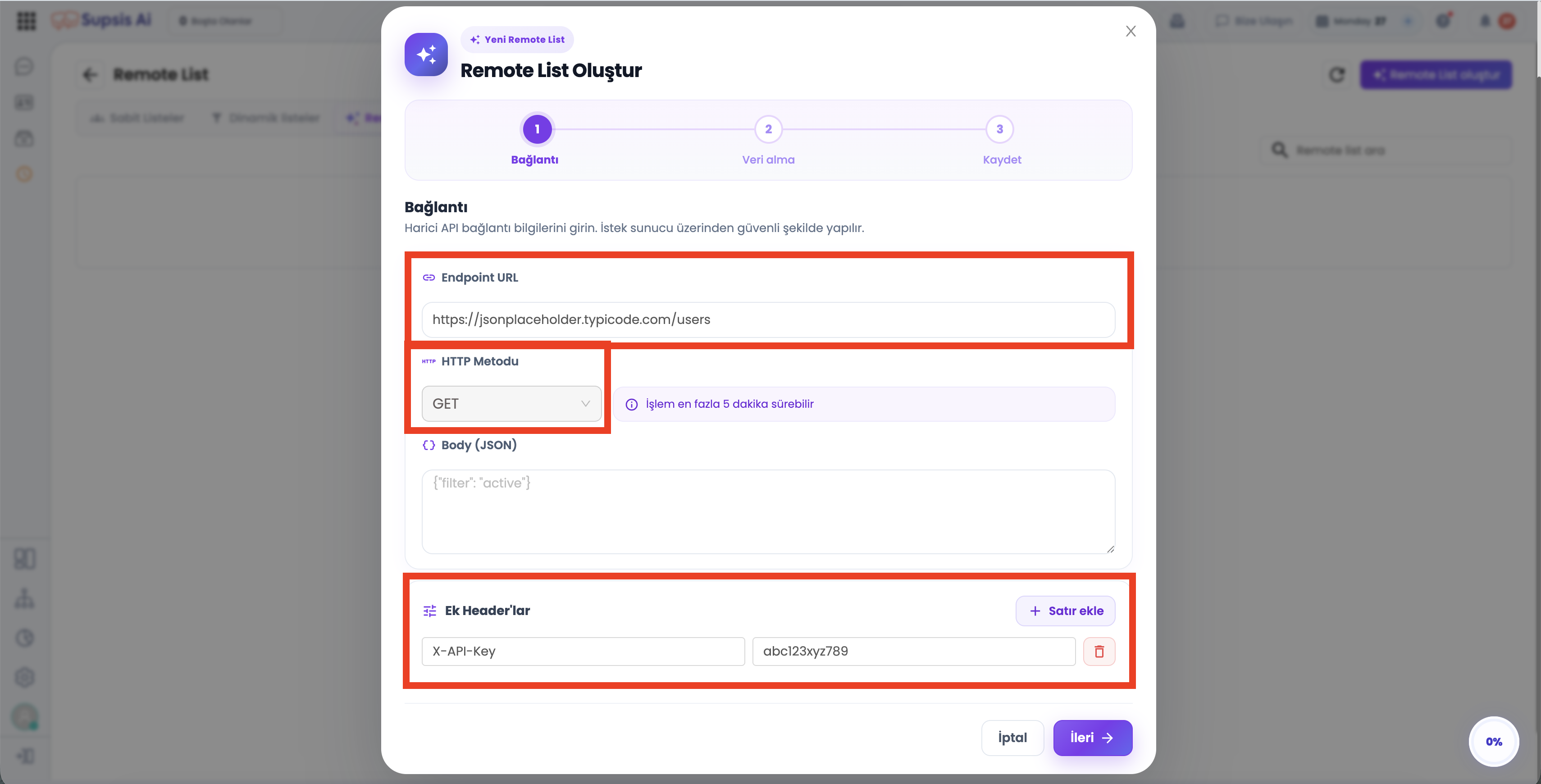
- Endpoint URL: The external service URL providing customer data (e.g.,
https://jsonplaceholder.typicode.com/usersorhttps://api.mycompany.com/v1/customers). - HTTP Method: Select the request type supported by your API (
GET,POST, orPUT). (Note: Request completion may take up to 5 minutes depending on data size). - Body (JSON): For
POSTorPUTrequests, specify search or filter criteria in JSON format (e.g.,{"status": "active", "type": "vip"}). - Extra Headers: Add key-value header pairs for authentication and security (e.g.,
X-API-Key: abc123xyz789orAuthorization: Bearer <TOKEN>). Use the + Add Row button to define multiple headers. - Once filled, click
Next ->to proceed.
3-) Step 2: Data Parsing & Parameter Mapping
The system connects to your external API endpoint, analyzes the returned JSON payload, and presents the mapping screen:
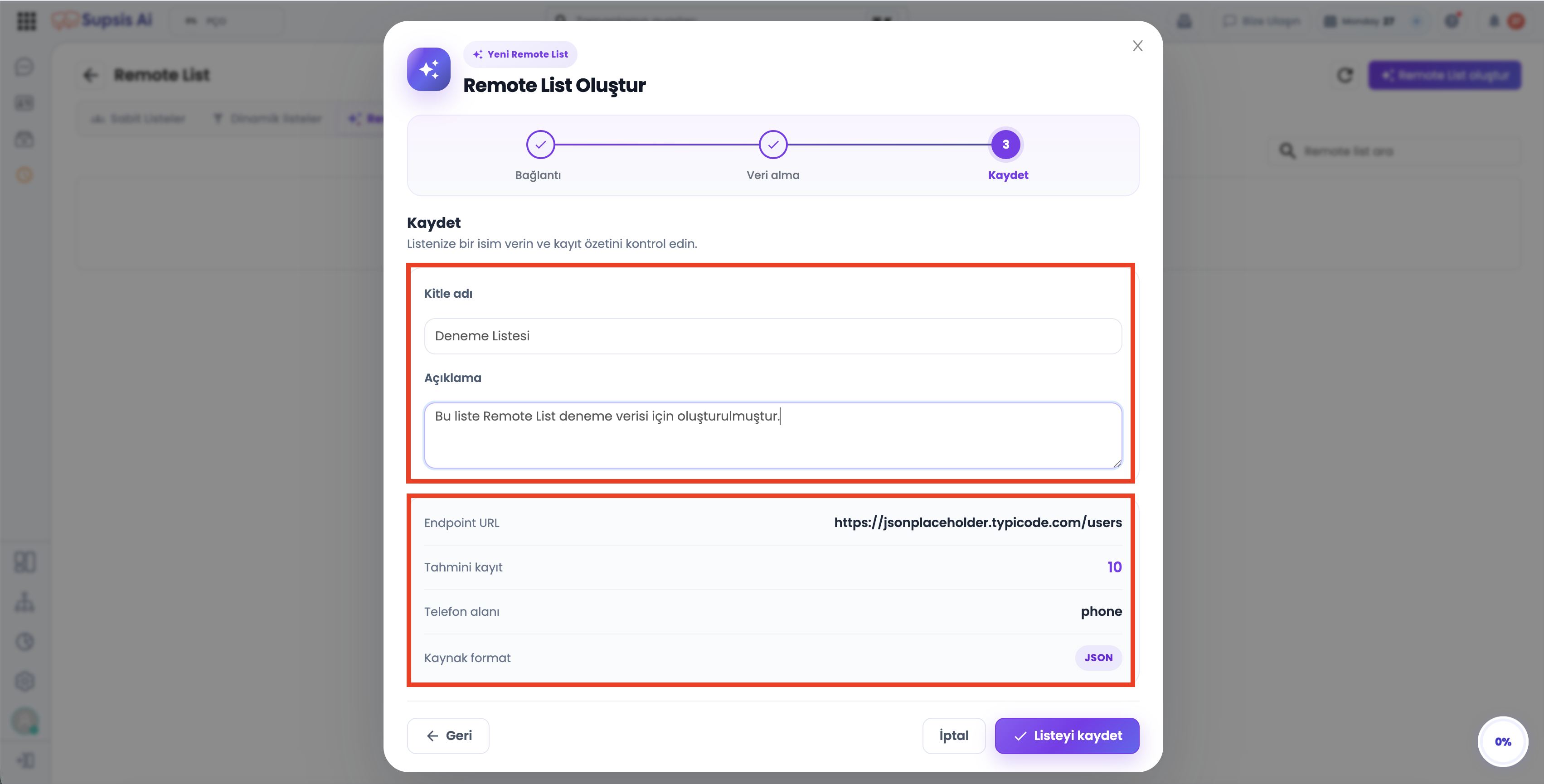
- Record Array Path: Select the array containing customer records in the JSON response (e.g.,
(root array) — 10 recordsor nested paths likedata.customers). - Phone Field Selection: Choose the column containing phone numbers for WhatsApp broadcast delivery (e.g.,
phoneormobile_number). - Field Mapping: Mark additional fields (
id,name,username,email,address.street, etc.) as Included to use them as dynamic variables in message templates. - Live Record Preview: The bottom-right section displays a live preview of the first 5 records successfully fetched from your external API.
- Click
Next ->once verified.
4-) Step 3: Save Audience & Summary
In the final step, name your remote audience and review the configuration summary:
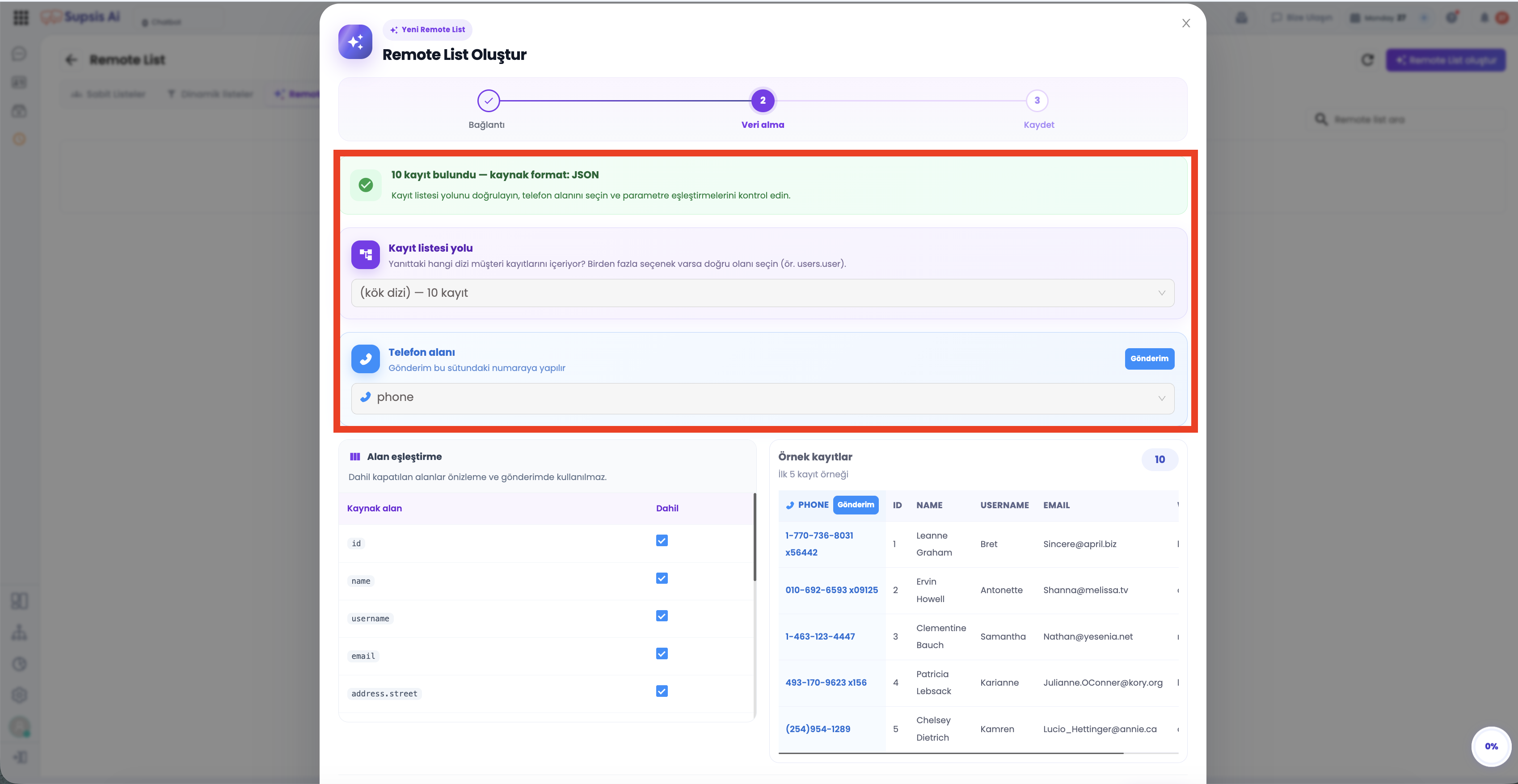
- Audience Name: Enter a descriptive name for the audience as it will appear in the Supsis AI panel (e.g.,
Sample ListorE-Commerce VIP Customers). - Description: Add optional notes regarding the purpose and source of the list.
- Summary Card: Review the Endpoint URL, estimated record count, selected phone field, and source format (
JSON). - Click
✓ Save Listto complete the Remote List setup.
📩 Sending Bulk Messages Using Remote List
Saved Remote Lists are available in the target audience selection dropdown in the Send Bulk Message screen.
- Go to Send Bulk Message and select your WhatsApp channel.
- Under Target Audience, choose Remote List and select your created list.
- Map your message template variables (
{{1}},{{2}}) to the parameters configured during Remote List setup. - Launch the campaign — Supsis AI will fetch live API data and deliver personalized messages to all recipients.