
Automation and Chatbot - JS RAG Integration (createResponse)
1-) RAG Parameter and Knowledge Base Usage
This section covers the RAG (Retrieval-Augmented Generation) support added to the supsis.ai.createResponse function used in JavaScript (Run JavaScript) blocks across Supsis AI Automation and Chatbot modules. With this feature, developers can attach knowledge base content from chatbot scenarios as context to AI responses, generating significantly more accurate, organization-specific answers.
1.a – Feature Scope and Access
To use RAG-enabled AI calls, simply open a Run JavaScript block in your Automation or Chatbot scenarios.
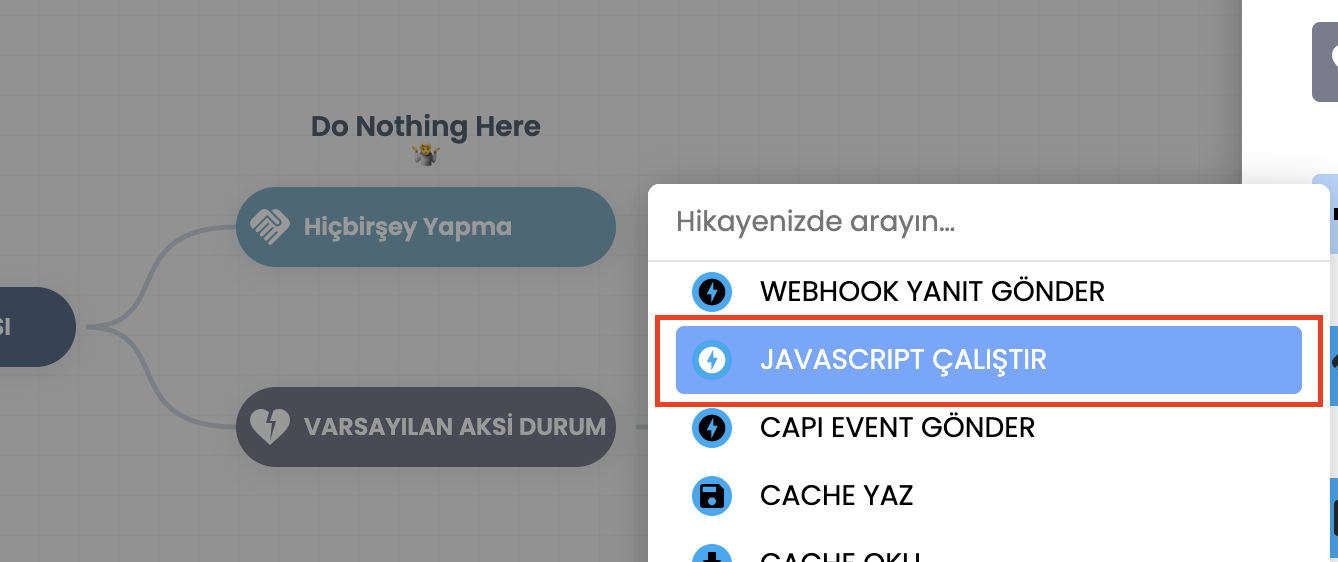
- a – Autocomplete Support:
Typingsupsis.ai.in the code editor automatically listscreateResponsesuggestions along with usableragblock parameters.
1.b – Code Structure and RAG Parameters
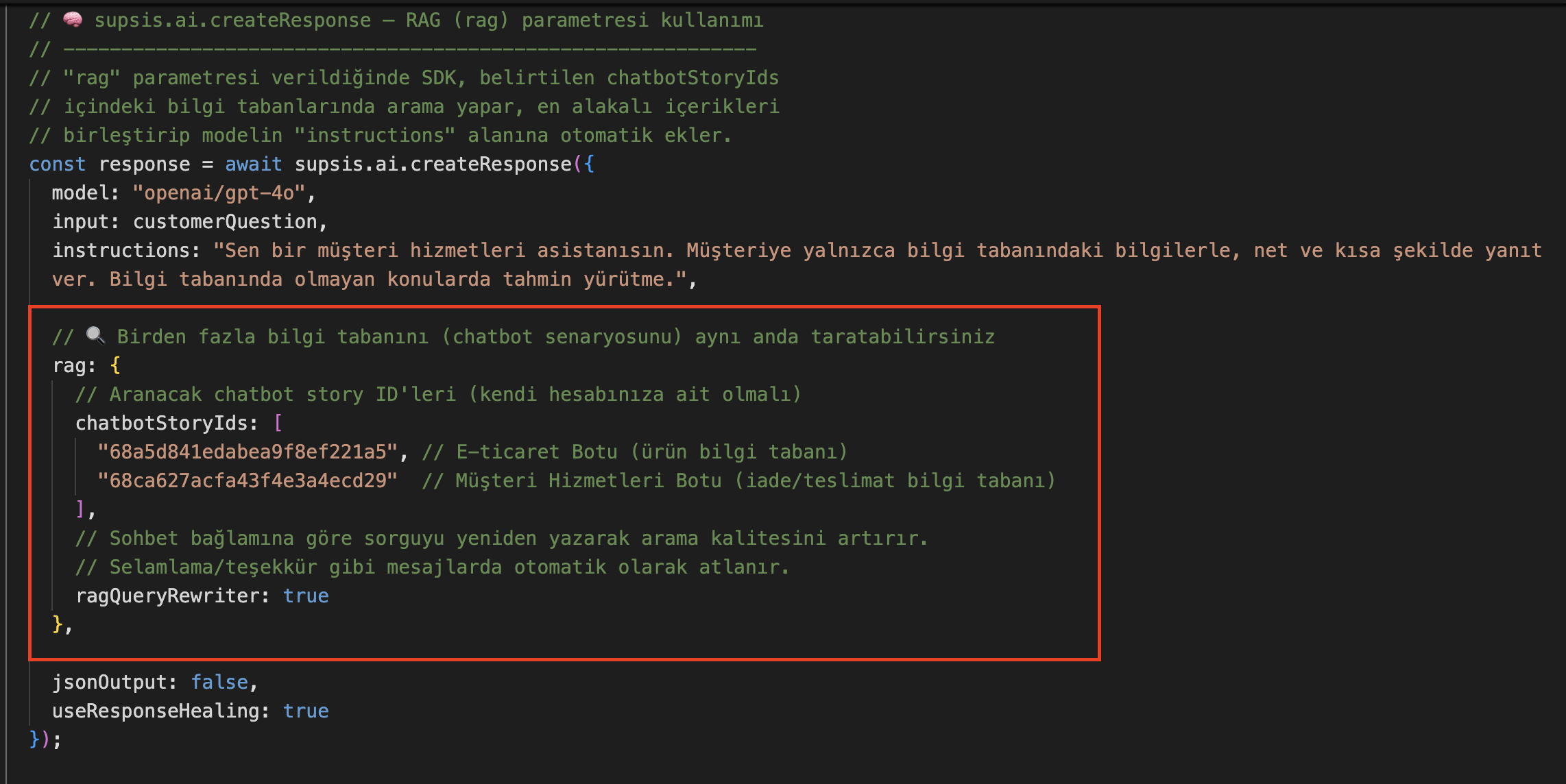
An optional rag object can be used within supsis.ai.createResponse calls.
- b –
chatbotStoryIdsUsage:
The field where chatbot scenario IDs to be searched are passed as an array. The SDK searches knowledge bases trained with Supsis RAG for the specified scenarios, merges the most relevant content, and passes it to the AI model as system instruction context. (Note: Only scenario IDs belonging to your account/site can be used). - c –
ragQueryRewriterSetting:
When set totrue, the user's question is rewritten for search based on conversation context. However, knowledge base search is bypassed for messages that do not require information lookup, such as greetings or thank you notes.
Sample Code Usage:
const response = await supsis.ai.createResponse({
  model: "openai/gpt-4o",
  input: "What are the return policies?",
  instructions: "Respond to the customer using only the information in the knowledge base.",
  rag: {
    chatbotStoryIds: ["CHATBOT_STORY_ID_1", "CHATBOT_STORY_ID_2"],
    ragQueryRewriter: true
  }
});

return response.output_text;
1.c – Training and Error Handling (Fallback)
For this feature to function properly, the knowledge bases of the selected chatbot scenarios must be trained in advance using the Supsis RAG method.
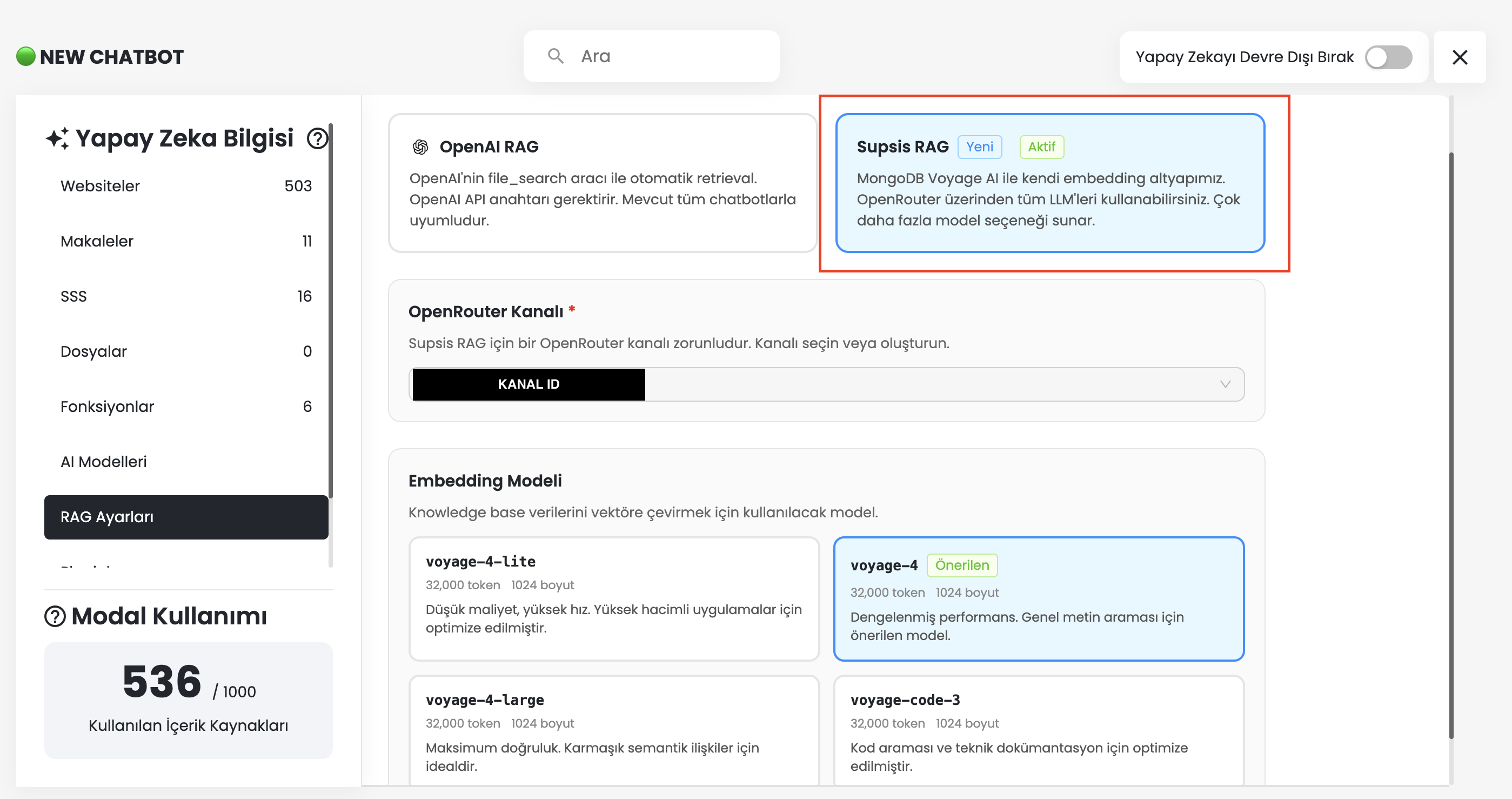
- d – Knowledge Base Training Status:
Make sure to navigate to the settings of the relevant scenario and verify that data has been trained with Supsis RAG. If the scenario is not trained or if a temporary error occurs in the RAG search service, the main AI response is not interrupted; the system continues to generate a standard AI response without knowledge base context.
1.d – Sample Usage Scenarios
Sample scenarios that allow you to use your existing knowledge bases in your automations without re-writing integrations include:
- Automated Webhook Responses: Instantly answer customer questions coming into an automation via external webhooks by connecting them to existing product, delivery, or return knowledge bases.
- Multi-Brand and Product Support: In a Chatbot JS block, take the visitor's latest message and construct a blended response from multiple brand or product knowledge bases (by supplying different Story IDs) in a single call.
- Advanced Context Understanding: In multi-turn conversations, rewrite pronouns or short questions used by customers with
ragQueryRewriter: trueto perform much more targeted knowledge base searches.