
SMS (Postacell) Integration
The Postacell SMS Integration allows you to send bulk or individual SMS messages to your customers directly from the Supsis AI panel and deliver instant notifications via SMS. This integration strengthens your customer communication by extending it beyond digital channels and leveraging SMS — a reliable, operator-based communication channel.
1-) Create a Postacell Account
Before starting the integration process, you must have a valid Postacell subscription and API credentials.
- Contact & Application: If you do not yet have a Postacell account, you can submit your application by filling out the contact form at postacell.com.tr/iletisim or by directly using their contact information.
- Providing Information: During your application, clearly state your intended use of SMS communication (e.g., customer support notifications, campaign announcements, etc.). This ensures that the most suitable package is assigned to your business.
2-) Postacell & Supsis AI Integration
After receiving your account credentials from Postacell, you can complete the activation process in your Supsis AI panel.
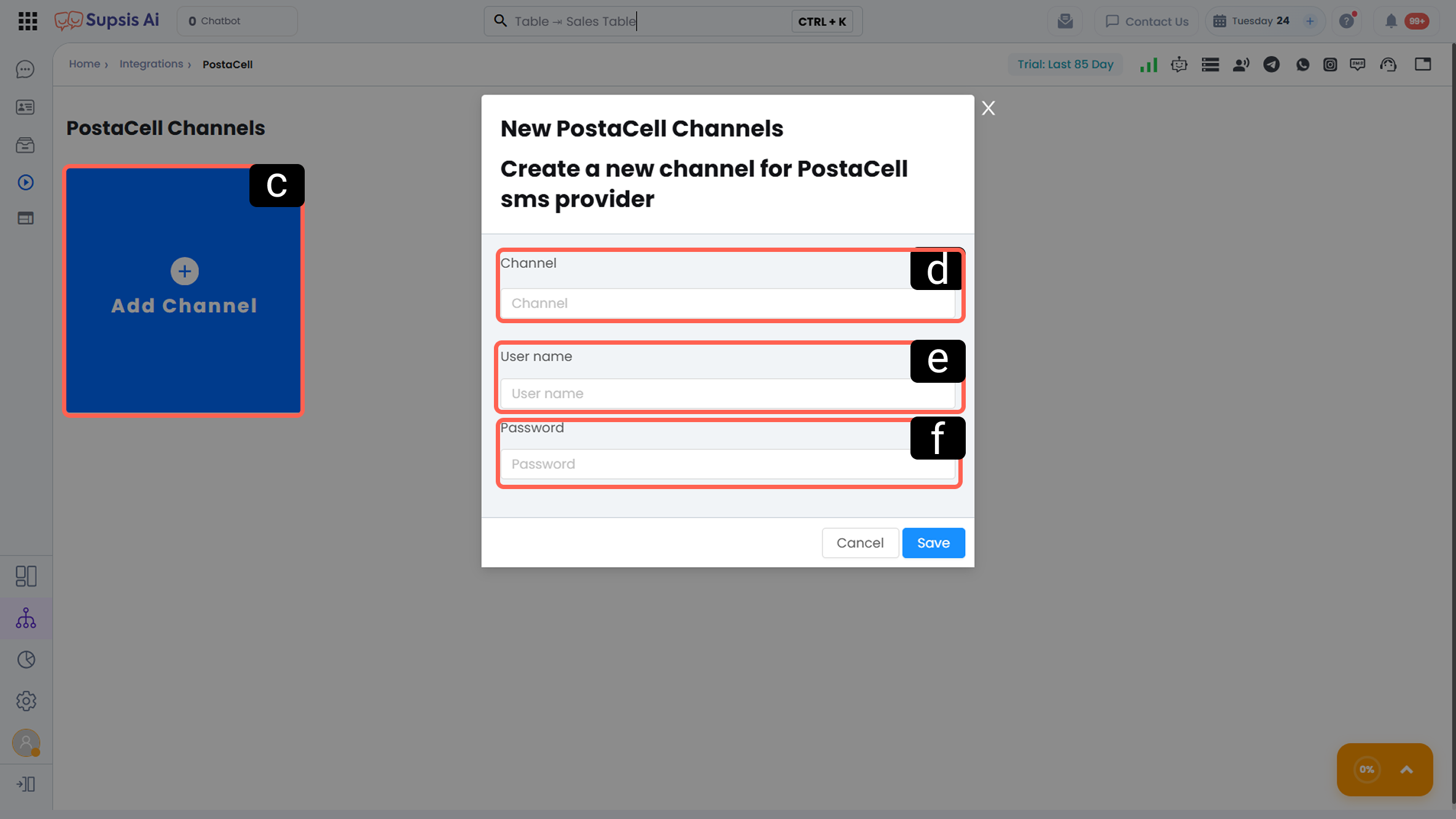
-
a – Integrations Menu
Click the Integrations button located in the left menu of your Supsis AI panel. -
b – SMS - Postacell
Under the "SMS" category, find the SMS - Postacell card and click on it.
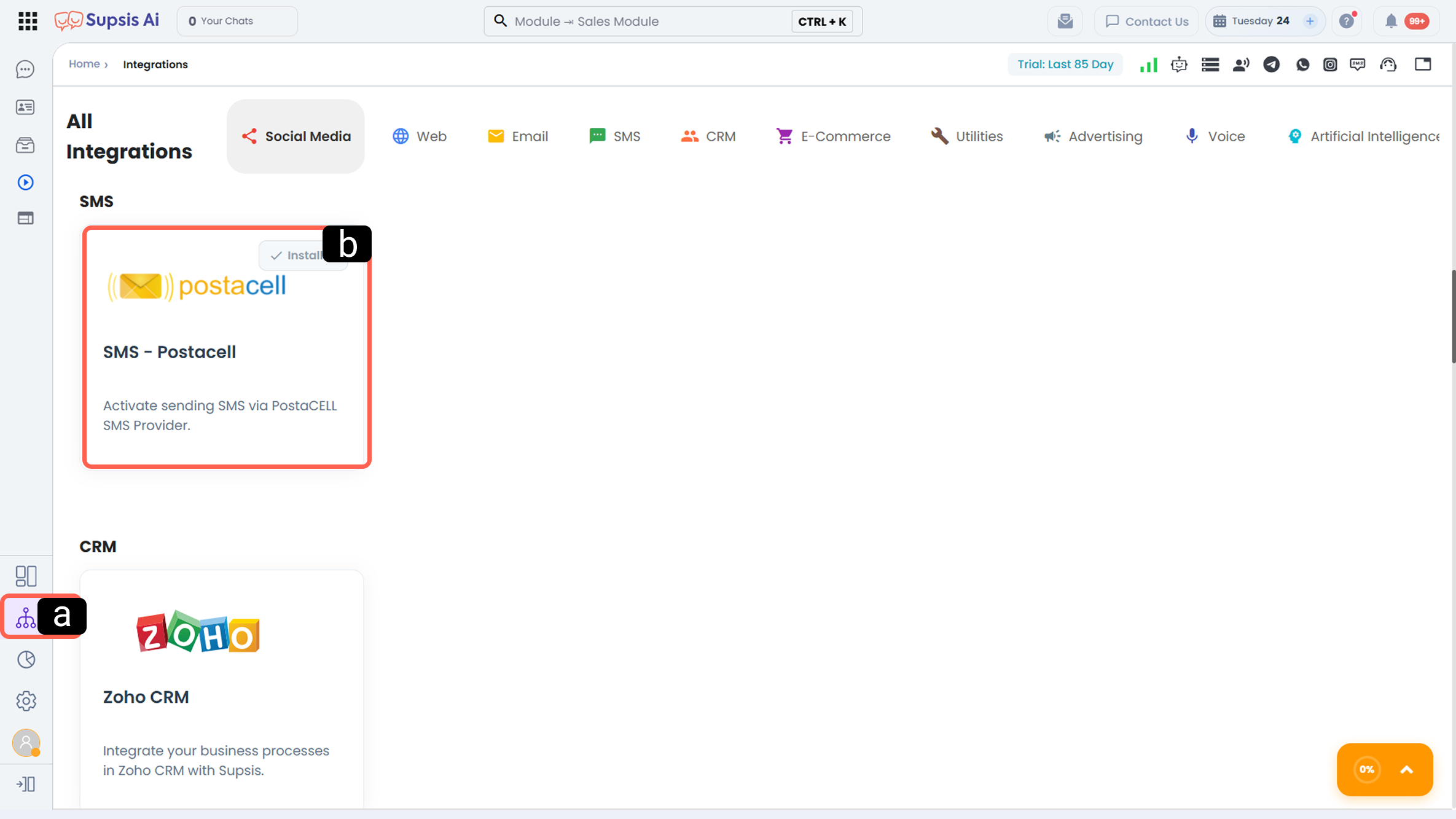
-
c – Add Channel
In the Postacell channels list, click the blue "+ Add Channel" button to create a new connection. -
d – Channel Name
Assign a name to identify this channel within the panel. -
e – Username
Enter your official Postacell system username. -
f – Password
Enter your Postacell API password or your account login password in this field.
Important Reminder: To ensure successful SMS delivery, make sure that your Postacell panel has sufficient balance and that your sender ID (header) has been approved.