
3-) Details
On the notification settings screen, you can determine the channels through which you want to receive notifications for specific events occurring within Supsis.
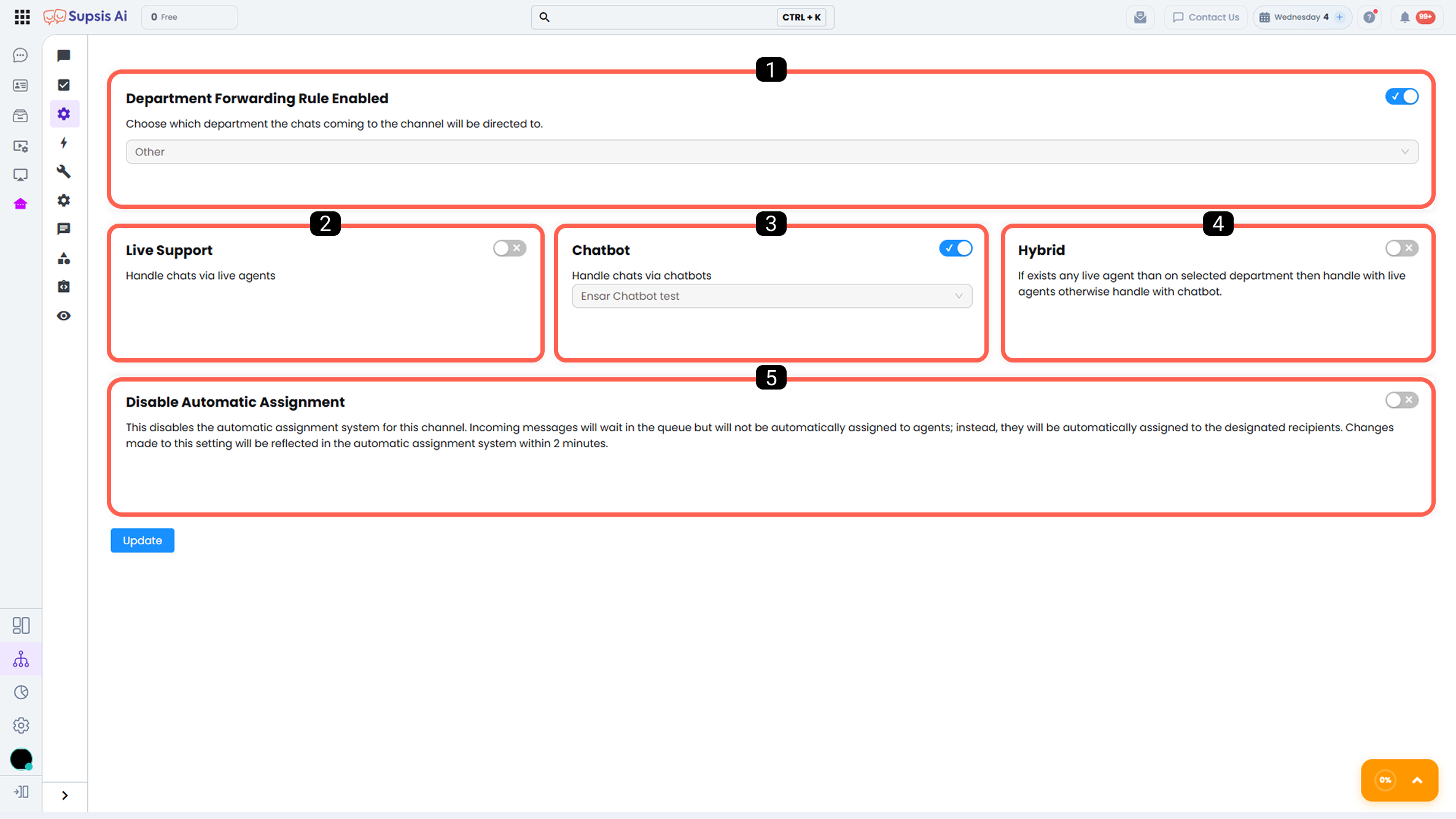
1 - Department Routing Rule Enabled
The department selected in this area automatically routes chats coming through the Webchat channel to the relevant department. This ensures that customer requests are handled quickly by the appropriate team.
This feature can operate in integration with other routing rules within Supsis AI.
For example, while a chatbot routing rule is actively in use, the department routing rule can also be enabled at the same time. In this case, chats exiting the chatbot flow are automatically transferred to the relevant department according to the defined routing rule.
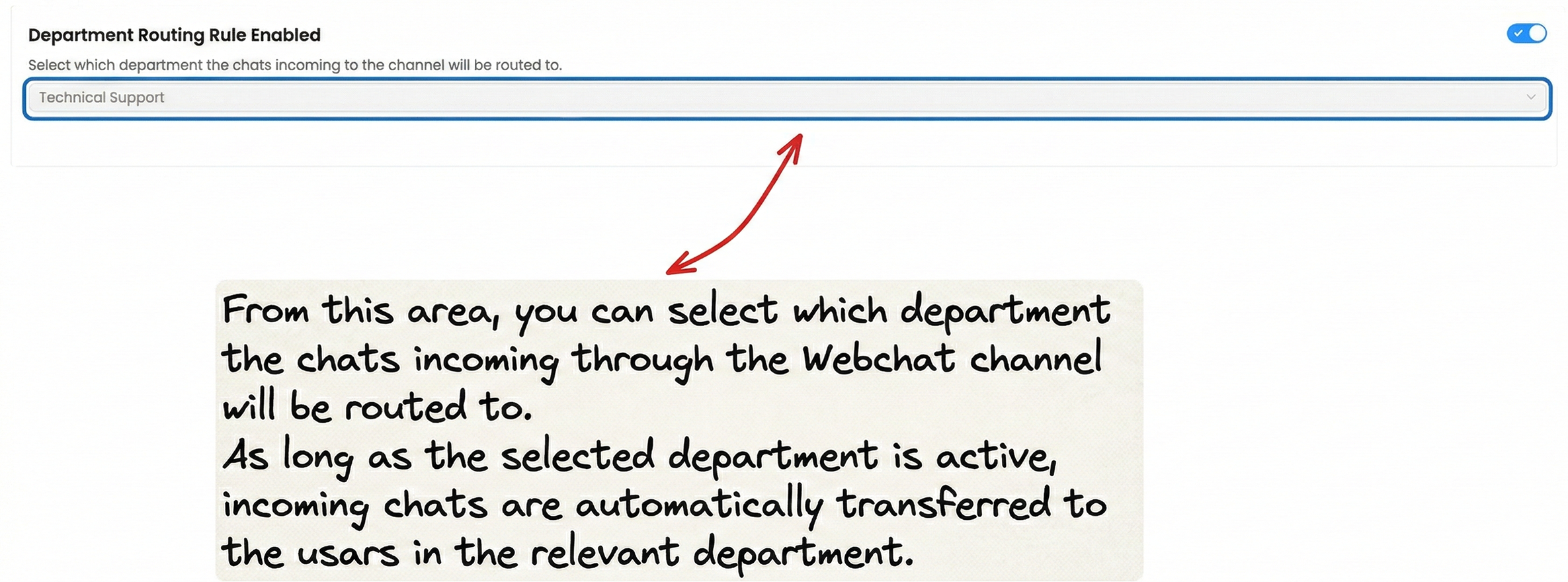
Note: When a chat is received through this channel and there is no active user in the designated department, incoming chats will remain in the queue until an available user becomes active in the relevant department.
2 - Live Support
All messages are directed to the live support channel. If the automatic assignment function is actively used, chats are assigned to active representatives according to the chat assignment algorithm. If automatic assignment is not used, chats remain in the queue for representatives to manually claim.
3 - Chatbot
Chats coming through the Webchat channel are handled by the chatbot, and communication with the visitor continues according to the diagram algorithm defined within the chatbot. After selecting the chatbot scenario in this area, do not forget to enter the relevant scenario and activate the publish process for the chatbot.
4 - Hybrid
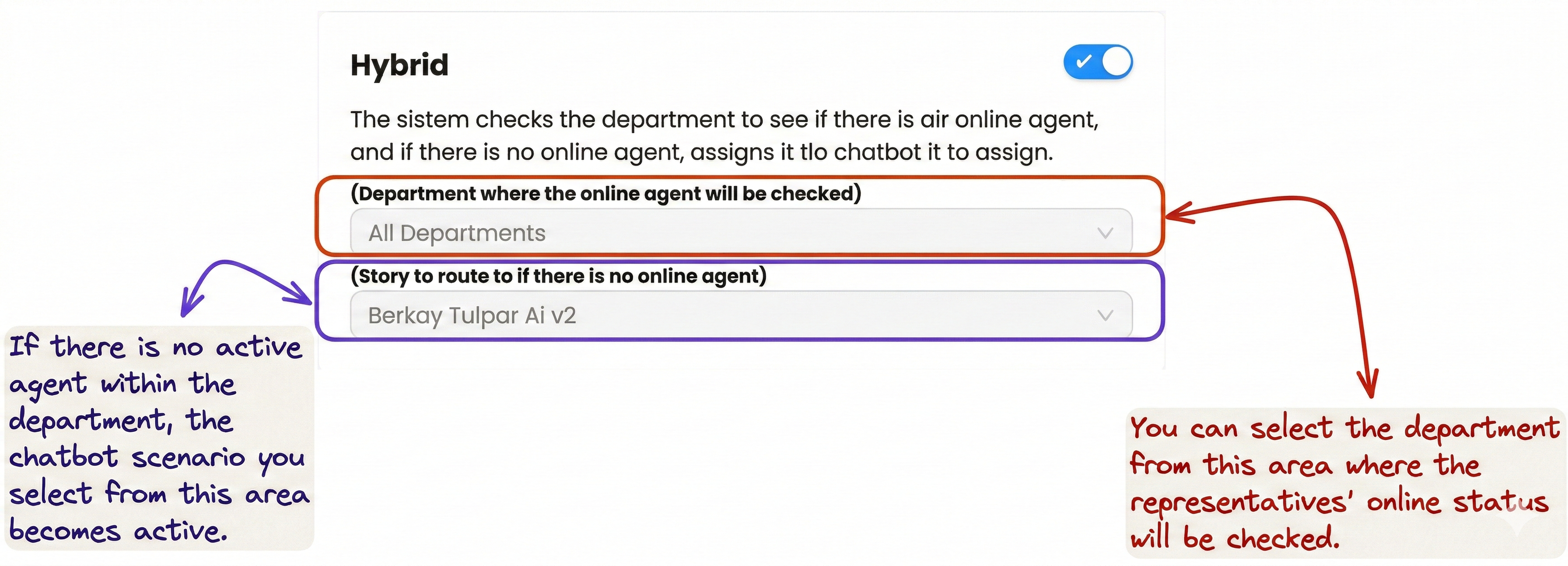
The routing process operates in a hybrid manner between Department & Chatbot. The system checks the selected department in this area to determine whether there is an online representative. If no representative is online, the chat is assigned to the chatbot.
5 - Disable Automatic Assignment
This feature keeps messages coming from the Webchat channel in the queue. It disables automatic assignment, meaning chats are not automatically assigned to representatives. However, owned chats are automatically assigned to the relevant Supsis AI users. Changes made in this setting are reflected in the automatic assignment system within 2 minutes.
```