
2-) All Forms & Trash Bin
The All Forms section is a centralized management dashboard where you can manage all created forms, inspect response metrics, and restore or permanently purge deleted forms.
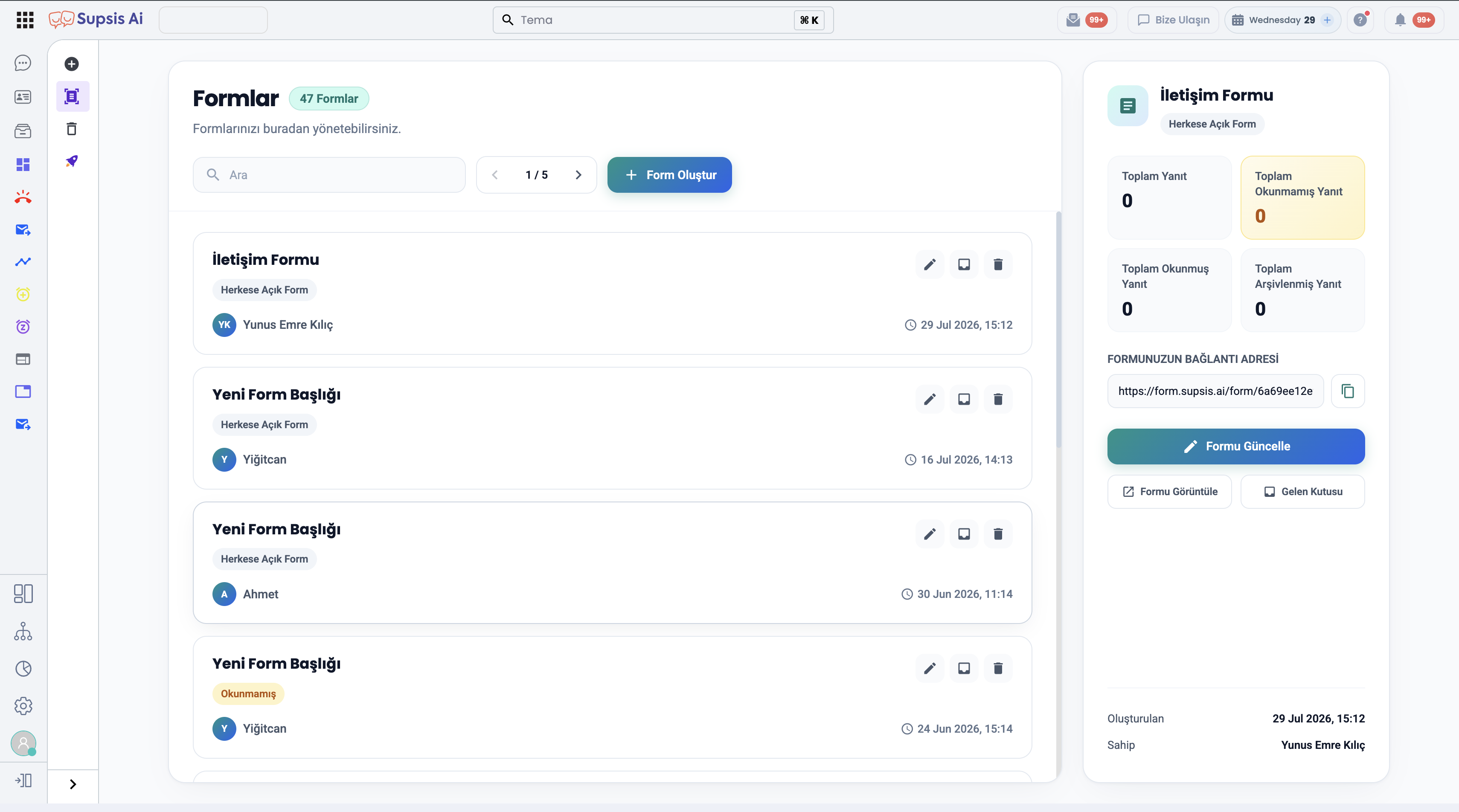
1-) All Forms Dashboard
- Search & Pagination: Search forms by title (
🔍 Search), navigate across pages (< 1 / 5 >), and click+ Create Formto start designing a new form. - Form Cards & Quick Actions:
- Form Card Information: Displays form title, public access status (Public Form), creator avatar/name, and creation timestamp.
- Action Icons on Form Cards:
- Edit (Pencil Icon): Opens the Form Editor to modify the form.
- Inbox (Message Icon): Opens the inbox containing form responses.
- Delete (Trash Icon): Soft-deletes the form and moves it to the Trash Bin.
Right Side Detail & Analytics Panel
Selecting a form from the left list displays live metrics and quick action buttons in the right sidebar: * Metric Cards: - Total Responses: Total number of submissions received. - Total Unread Responses: Count of new, unreviewed responses (highlighted yellow). - Total Read Responses: Count of reviewed responses. - Total Archived Responses: Count of archived responses. * Form Public URL: Displays the shareable public form URL with a one-click copy button. * Action Buttons: - Update Form: Opens the Form Builder. - View Form: Opens the live form link in a new tab. - Inbox: Lists form responses.
2-) Form Inbox & Response Management
Form submissions can be filtered and reviewed by status:
- Inbox: Newly received and unread submissions.
- Read: Previously reviewed submissions.
- Archive: Archived submissions.
- Closed via Ticket: Submissions forwarded to the Ticket module and closed upon resolution.
- All: Comprehensive list of all submissions.
- Download: Export response details directly to your device.
3-) Trash Bin (Deleted Forms Management)
Deleted forms are safe-guarded and stored in the Trash Bin tab rather than being immediately purged.
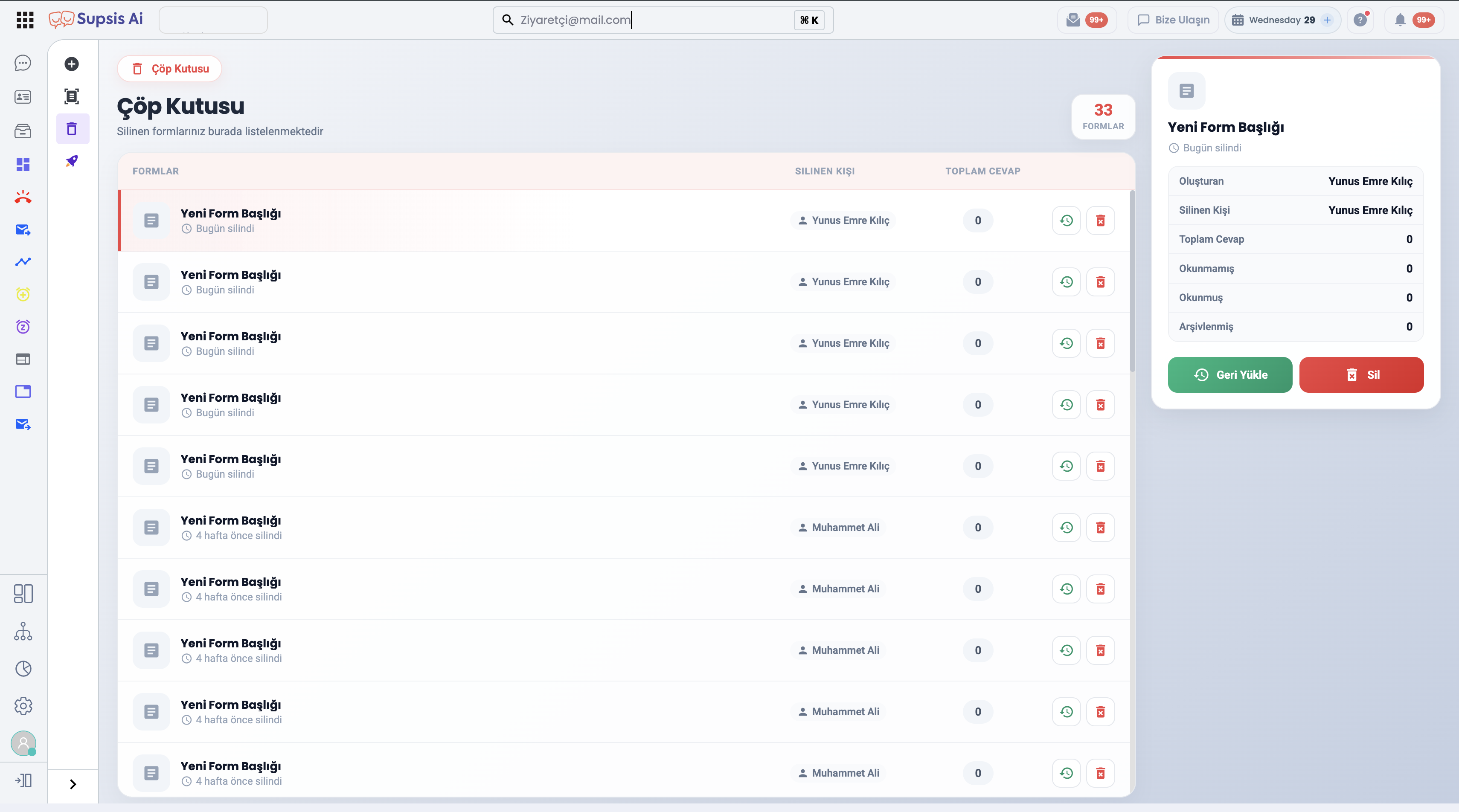
Trash Bin Features:
- Deletion Audit Logs: Displays deleted form titles, relative deletion timestamps (e.g., deleted 4 weeks ago), the user who deleted the form, and total response counts.
- Right Detail Panel: Summarizes response metrics for the selected deleted form.
- Trash Bin Actions:
- Restore (
🔄 Restore): Instantly restores the deleted form along with its complete response history back to the active forms list. - Delete Permanently (
🗑️ Delete): Permanently purges the form and its data from the system (cannot be undone).