
The Payment Method & Billing Address section, accessible via the Billing & Payment page, is the area where you can define the payment method information for collecting fees related to your Supsis packages and additional charges, as well as specify and manage the billing address for your invoices.
Through this section, you can add or update the card information used for payment transactions and your billing address details.
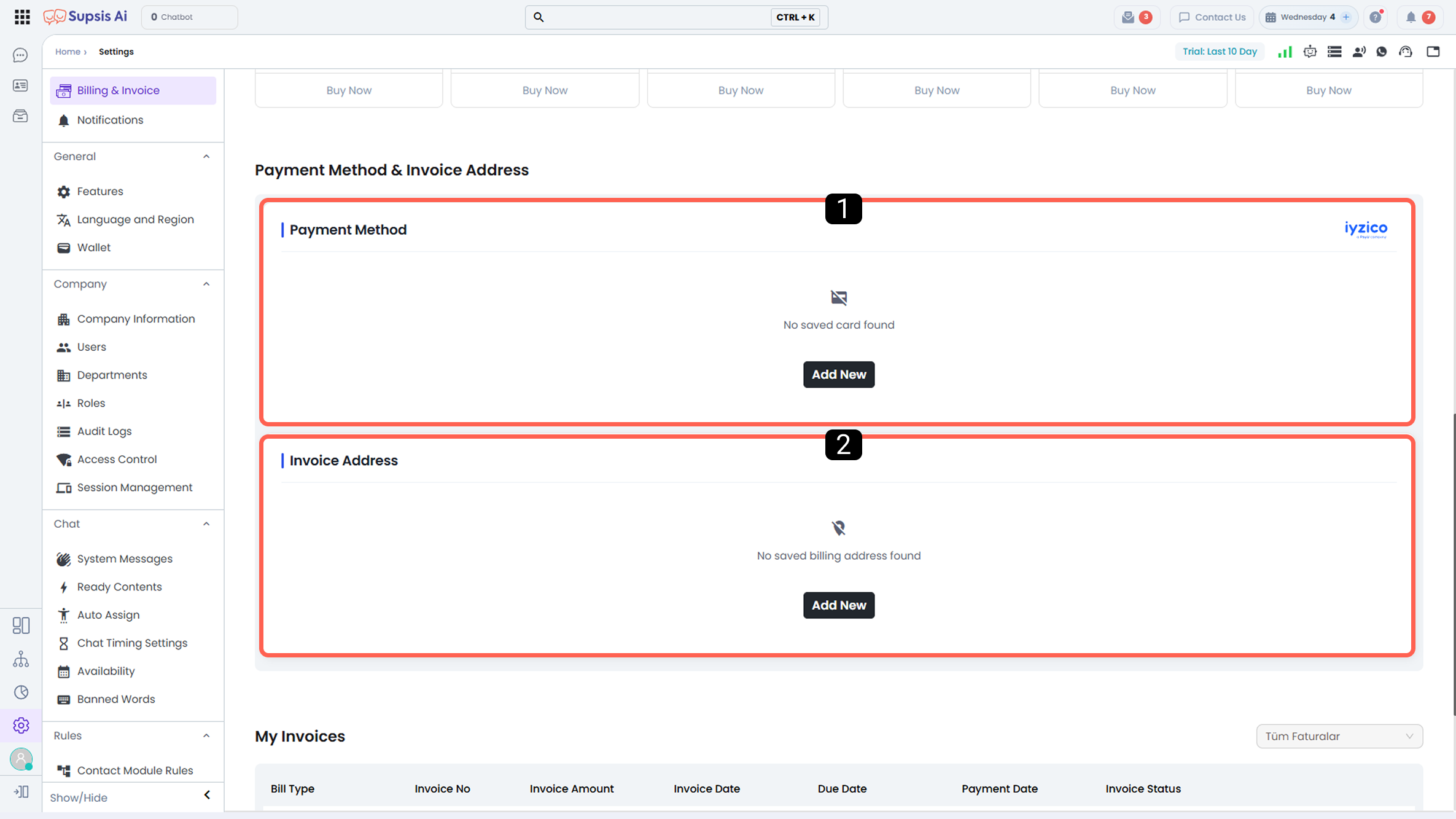
- Payment Method
- Billing Address
1-) Payment Method
In this section, you can define the payment card information from which fees for Supsis services will be collected.
Invoices related to the collected charges are automatically generated based on the information defined in the Billing Address section.
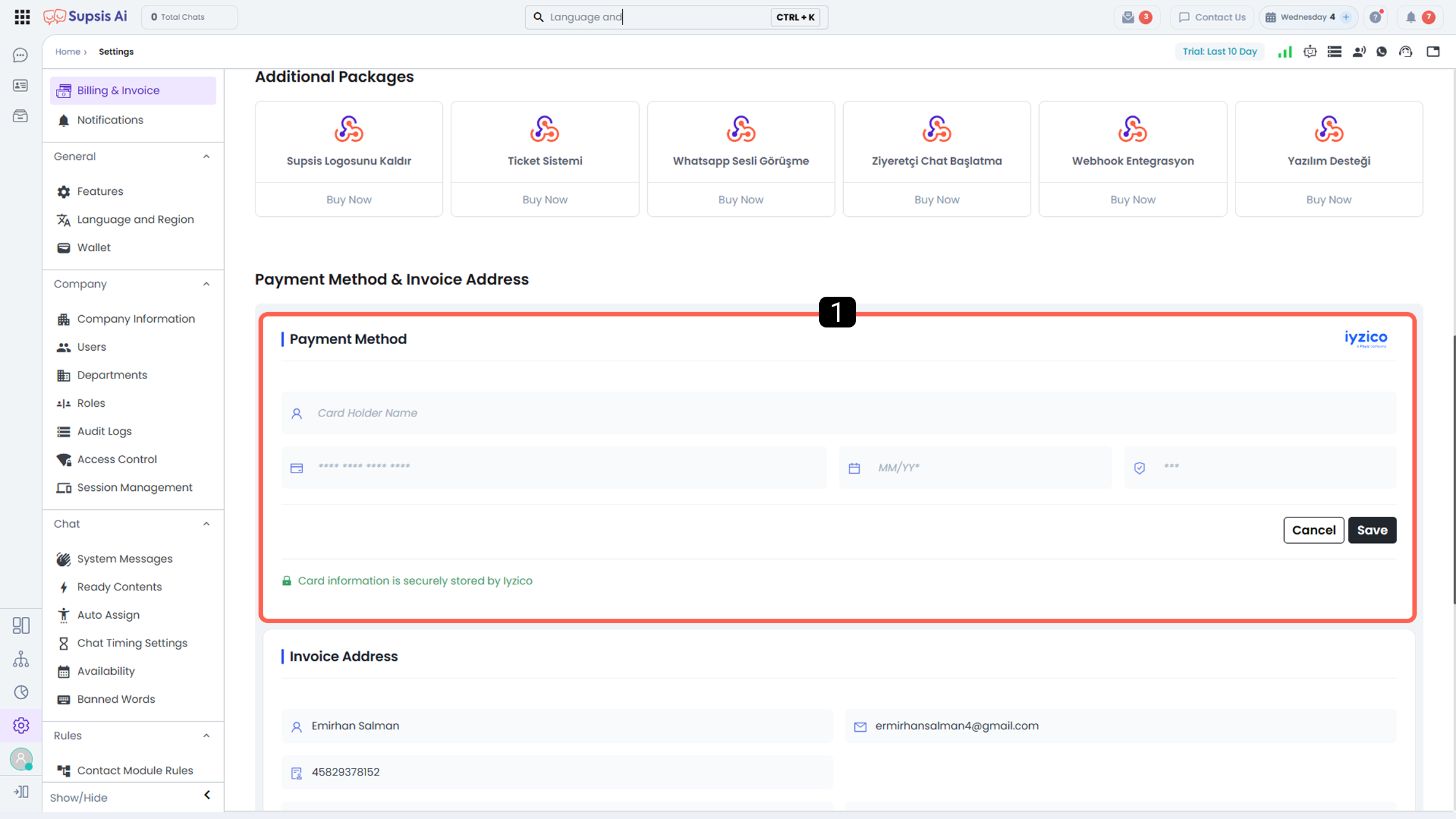
- Card Information
1-) Card Information
In this section, you can enter the details of the debit or credit card that will be used for billing transactions.
The defined card will be used for all charges related to your active services and additional purchases.
2-) Billing Address
In this section, you can define the address where invoices for collected charges will be issued. The defined billing address is used as the basis for all payment and invoicing transactions.
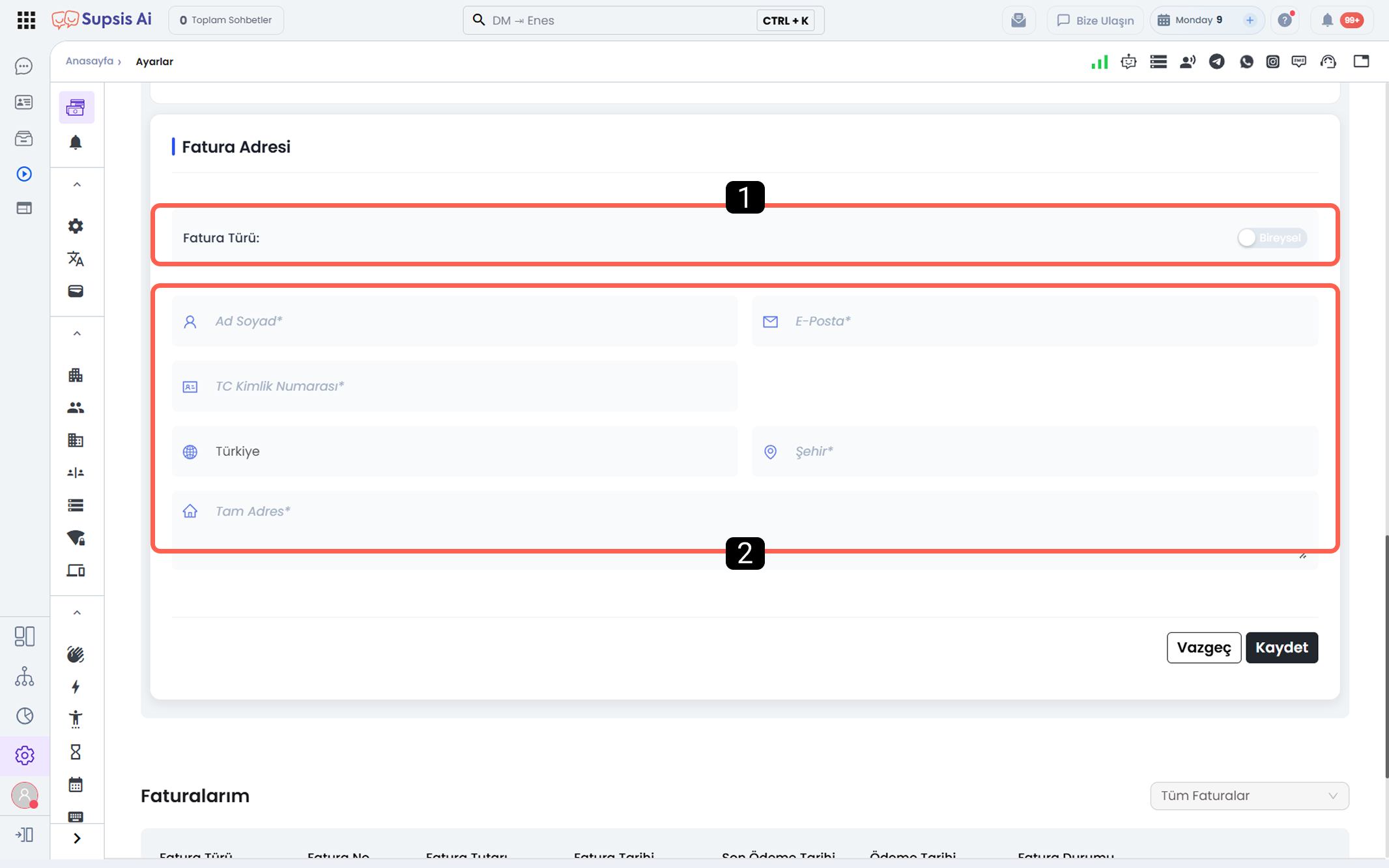
- Invoice Type
- Invoice Information
1-) Invoice Type
With the selection in this section, you can determine whether the invoice will be issued individually or on behalf of a company.
- If you do not have a company, select the Individual invoice type.
- If the invoice will be issued on behalf of a company, select the Company invoice type.
2-) Invoice Information
In this section, you define the information of the individual or company to whom the invoice will be issued, along with the address details. All fields in this section must be completed accurately and fully in order for an invoice to be generated.
There are some differences between individual and company invoices:
- When the Individual invoice type is selected, the Full Name and National ID Number fields become active.
- When the Company invoice type is selected, the Company Name, Tax Number, and Tax Office fields become active.
All other fields are common for both individual and company invoices and must be filled in the same way.