
6-) Integrations and Developer Tools
Manage developer tools, API tokens, and integrations that enable bidirectional communication between Supsis AI and your external systems, website, CRM/database tools, or modern AI agents (via MCP).
Through this menu, you can manage REST API authorization tokens, access developer documentation and SDK references in one place, and configure the Model Context Protocol (MCP) Server infrastructure.
1-) Developer Center
The Developer Center is the centralized control hub for obtaining API credentials, integrating SDKs, and managing authorization tokens for Supsis REST API endpoints.
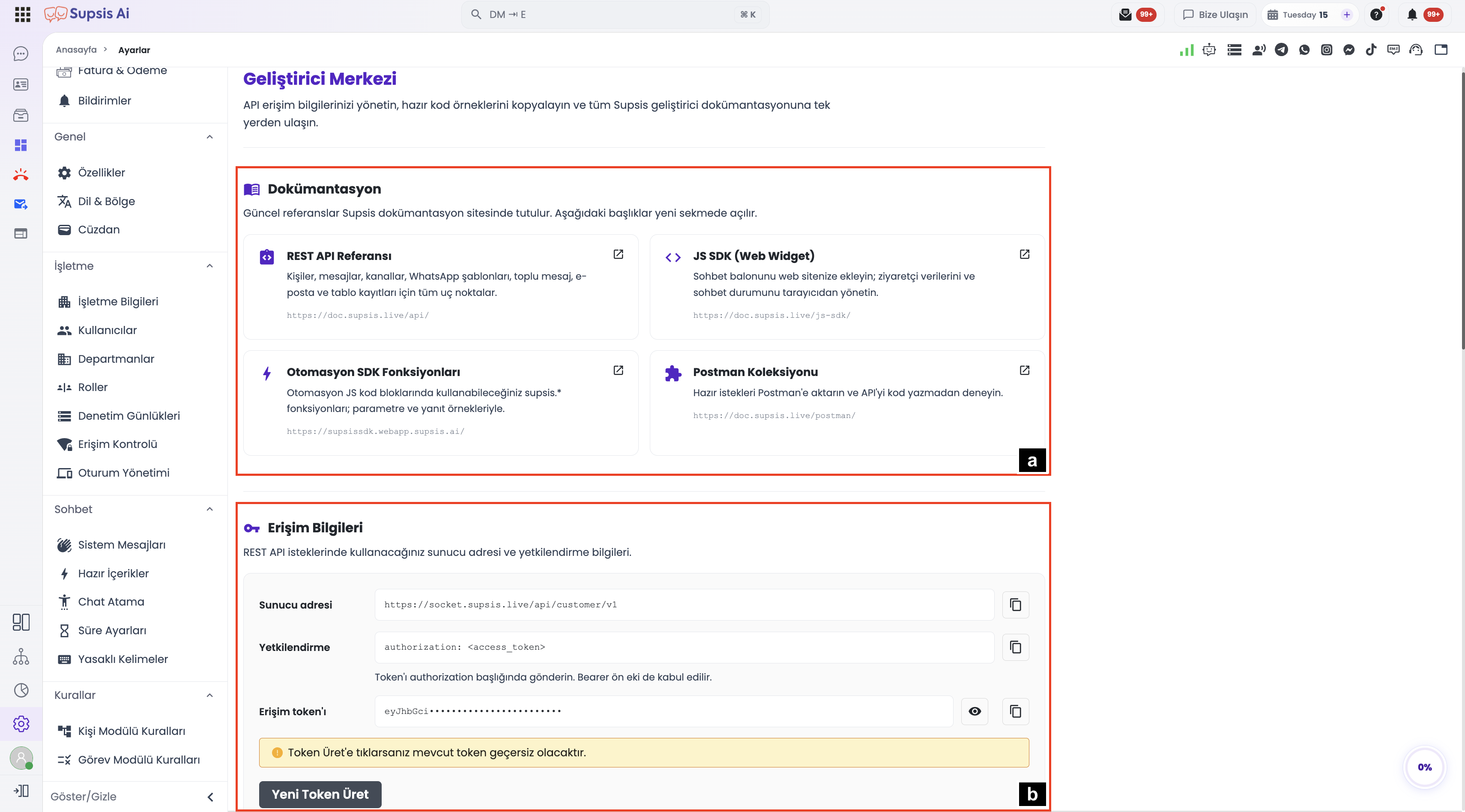
1.a – Documentation References
Current references are maintained on the Supsis documentation platform. The following resources open in a new tab:
| Documentation Resource | Description & Scope | Link |
|---|---|---|
| REST API Reference | All endpoints for contacts, messages, channels, WhatsApp templates, bulk messaging, email, and table records. | API Reference ↗ |
| JS SDK (Web Widget) | Embed the chat widget into your website; manage visitor data and chat sessions right from the browser. | JS SDK Guide ↗ |
| Automation SDK Functions | Built-in supsis.* functions for automation JS code blocks, complete with parameter and response examples. |
Automation SDK ↗ |
| Postman Collection | Import ready-made requests directly into Postman to test and interact with the API without writing code. | Postman Collection ↗ |
Testing with Postman
Before beginning your custom integration, import the Postman Collection to explore live payload schemas and test API responses interactively.
1.b – Access & Authentication Information
Server endpoints and authentication credentials used in REST API requests are securely displayed in this section:
| Parameter Field | Value / Format | Description |
|---|---|---|
| Server Address | https://socket.supsis.live/api/customer/v1 |
Root URL to which all REST API HTTP requests must be directed. |
| Authorization (Header) | Authorization: <access_token> |
Required HTTP header for request authorization. Bearer prefix is also accepted (Bearer <access_token>). |
| Access Token | eyJhbGci... |
Secure JWT key unique to your account. Can be revealed or copied via the action buttons. |
- Generate New Token: Invalidates your existing token and immediately issues a new secure API key.
Token Revocation Notice
Clicking Generate New Token will immediately invalidate your active token. Ensure you update any live production applications with the new key right away to avoid service interruptions.
2-) Model Context Protocol (MCP) Server Integration
The Model Context Protocol (MCP) is an open standard that connects your Supsis database tables, customer records, and workflows directly to modern AI development tools and assistants like Cursor, Antigravity IDE, Claude Desktop, and ChatGPT.
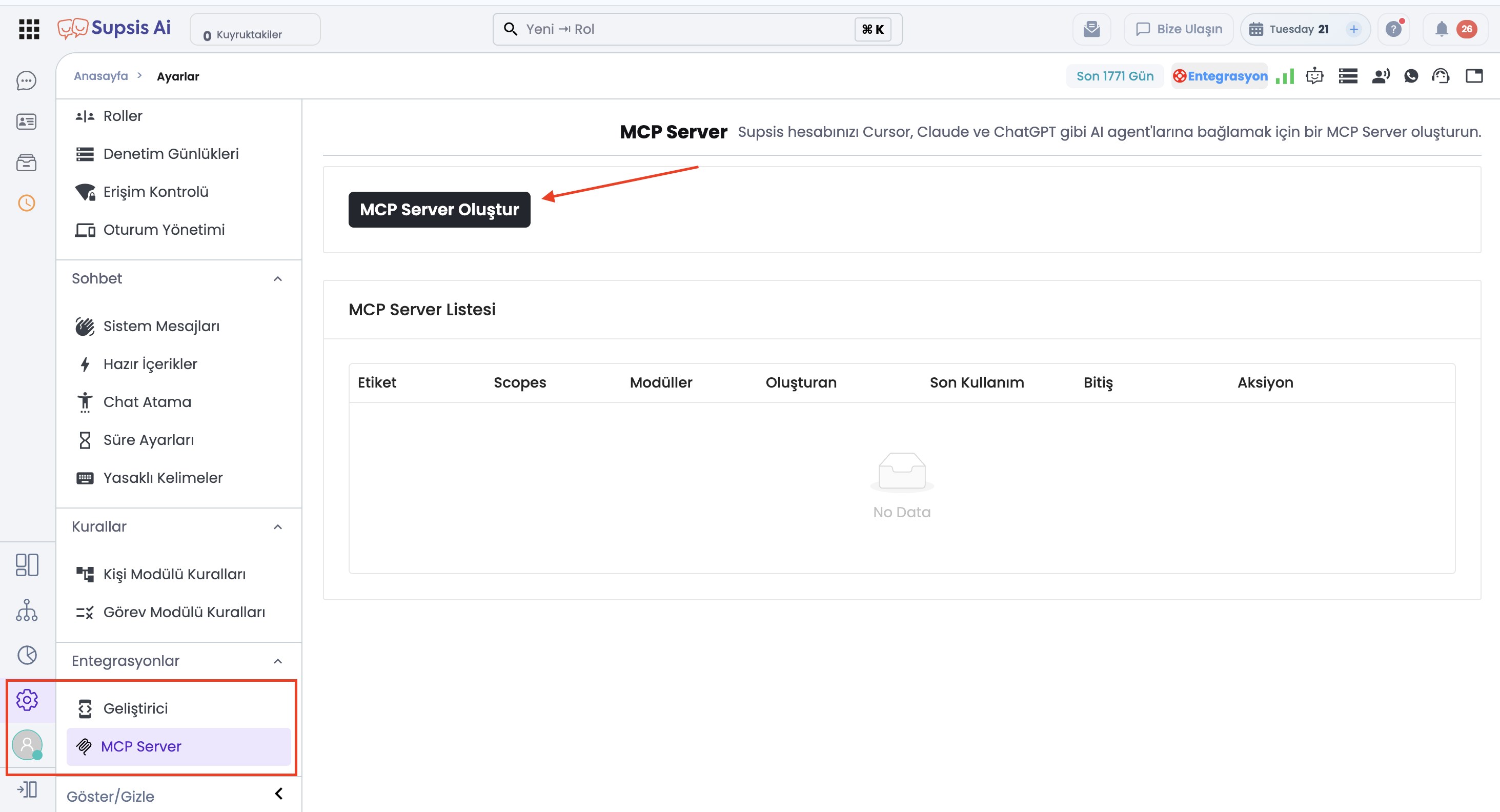
2.a – MCP Server Capabilities & Security
- Natural Language Data Management: Query or manipulate live panel data using natural language prompts in your IDE (e.g., "List customers who registered today" or "Add a task note to VIP accounts").
- Configurable Scopes: Restrict AI agent access strictly to selected tables or modules.
- Granular Expiration: Issue short-lived or long-lived tokens ranging from 1 day to 365 days according to your security policies.
- Pre-configured Client Setups: One-click JSON configuration snippets for Cursor IDE, Antigravity IDE, Claude Desktop, and custom HTTP/SSE clients.
2.b – Setup and Comprehensive Guide
To create an MCP Server connection, configure scopes, customize mcp.json, and run interactive test cases in your IDE, visit our dedicated guide:
👉 Supsis MCP Server Integration and Live Setup Guide