

Bulk Messaging Module
The Bulk Messaging (WhatsApp Broadcast & Messaging) module enables businesses to deliver high-speed, personalized, and scheduled communications to large customer segments, user groups, or external databases simultaneously. Important announcements, promotional campaigns, payment reminders, booking confirmations, and critical operational updates can be dispatched efficiently using pre-approved template messages without manual one-by-one handling.
1- Bulk Messaging Interface
1.a- General Bulk Messaging Overview
Click WhatsApp Broadcast Bulk Messages in the left navigation menu to view campaign histories, monitor active dispatch statuses, and initialize new campaigns.
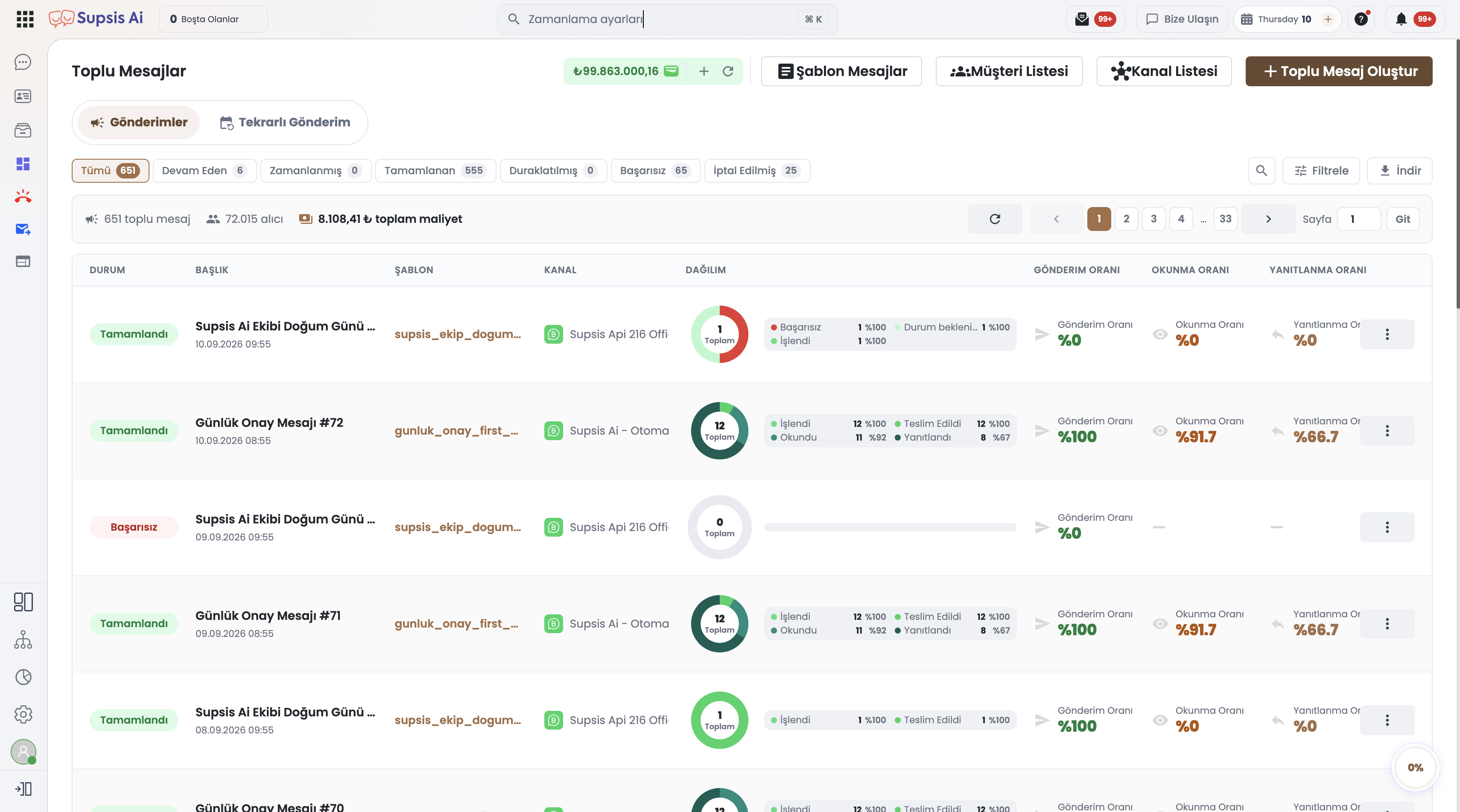
2- Scope of the Bulk Messaging Module
| Feature | Description | Business Benefit |
|---|---|---|
| Mass Communication | Sending personalized templates to thousands of contacts in minutes | Accelerated marketing reach |
| Channel Health Checks | Verifying connectivity and health of connected WhatsApp Business lines | High deliverability assurance |
| Scheduled Dispatch | Scheduling campaigns to initiate automatically at optimal dates and times | Timely audience engagement |
| Remote List Integration | Fetching dynamic audience lists on the fly via external CRM APIs | Real-time targeted messaging |
| Delivery Analytics | Real-time sent, delivered, read, and failed delivery statistics | Transparent campaign metrics |
3- Subsections and Guides
-
Bulk Messages Menu
1.a- Monitoring ongoing, scheduled, completed, and paused message campaigns.
1.b- Campaign status filtering, cancelling active dispatches, and reviewing historical summaries. -
Bulk Messages Content
2.a- Selecting campaign headers, message templates, and configuring dynamic merge parameters.
2.b- Attaching media files (images/documents), configuring interactive buttons, and pacing speed limits. -
Channel Connection Control
3.a- Inspecting the connection status and health of the WhatsApp Business or SMS channel.
3.b- Validating sender ID credentials, account quality ratings, and daily messaging limits. -
Remote List (Remote Audience)
4.a- Connecting your external API or database endpoints to fetch recipient lists dynamically.
4.b- Mapping remote JSON payload fields to template placeholders for instant message triggering.
Meta WhatsApp Template Approval
To broadcast bulk messages across the WhatsApp Business API, message templates must be officially submitted and approved by Meta beforehand.