
Chat Menu
Learn about using the chat interface, message management, and communicating with the customer.
What is the Chat Menu Used For?
The Chat Menu is used to organize customer conversations and provide quick access to them. From this section, users can view active chats, access past conversations, and filter chats for easier management. It also allows actions such as assigning chats, adding tags, and changing statuses. This helps make all communication processes more organized, faster, and easier to control.
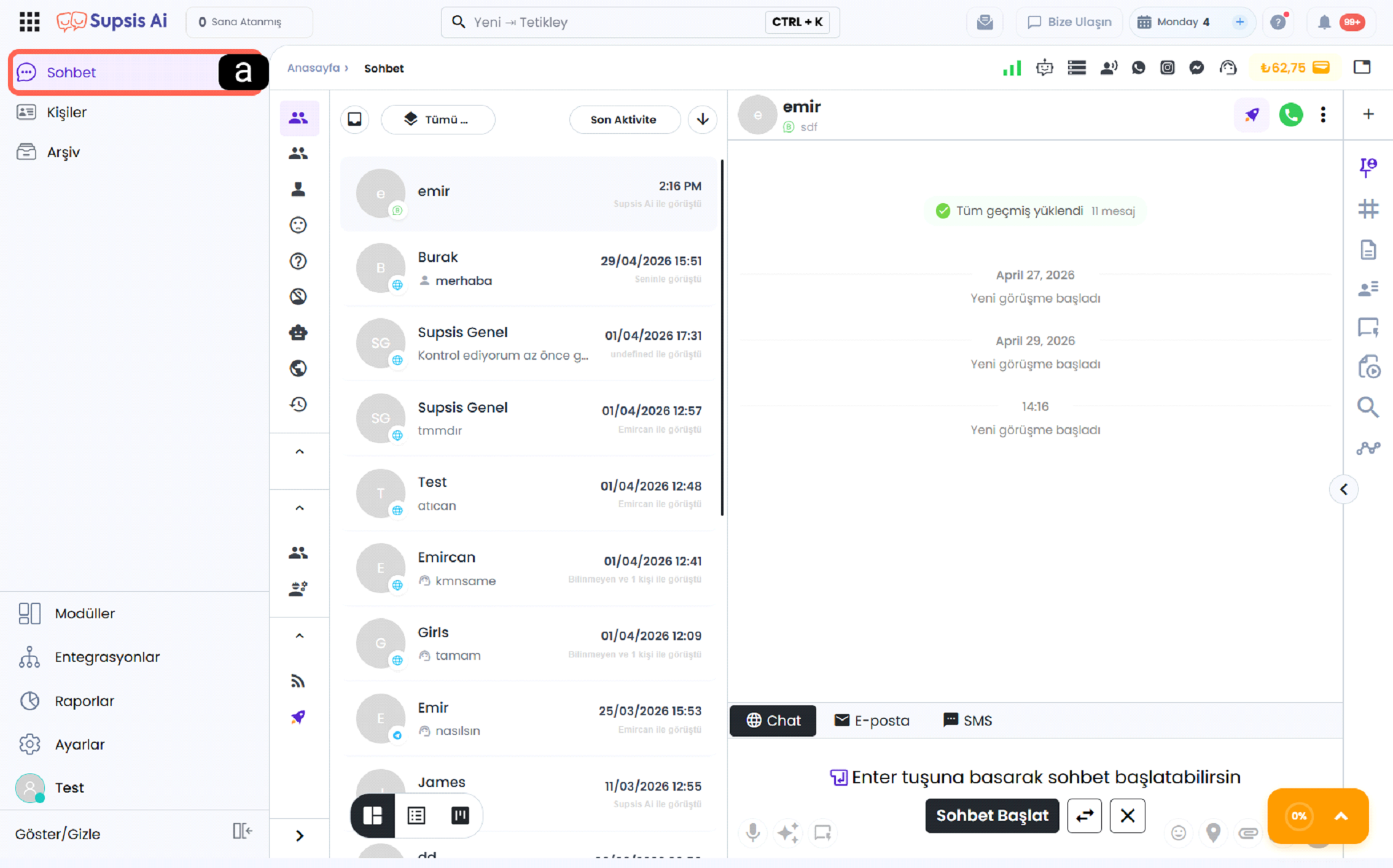
a - Chat Menu
The Chat section in the left menu allows you to navigate to the messaging screen. When you click it, the selected conversation details will open.
Table of Contents
In this section, you can find all the features and usage details of the chat menu.
Menu Features
Detailed description and user guide of all features in the chat menu. Quick replies, tags, and filtering options.
Bulk Actions & Select All
Select All (Ghost Selection) across the entire database and 9 bulk action buttons (Tags, Department, User, Owner, Note, Profile Property, Answered, Read, VIP).
Chat Content and Usage
Chat content management, sending messages, file sharing, and customer communication. Conversation history and archiving.
Additional Info
Additional information, tips, and frequently asked questions about the chat menu. Keyboard shortcuts and productivity suggestions.