
Appointment Programs, Chatbot AI & Automation SDK
This guide explains same-day booking mechanics, Chatbot and Artificial Intelligence (AI) automated appointment creation flows, and Calendar JavaScript SDK usage for Automations.
1-) Same-Day Appointment Booking Mechanics
Customer-facing booking pages and appointment programs support same-day reservations for rapid conversion.
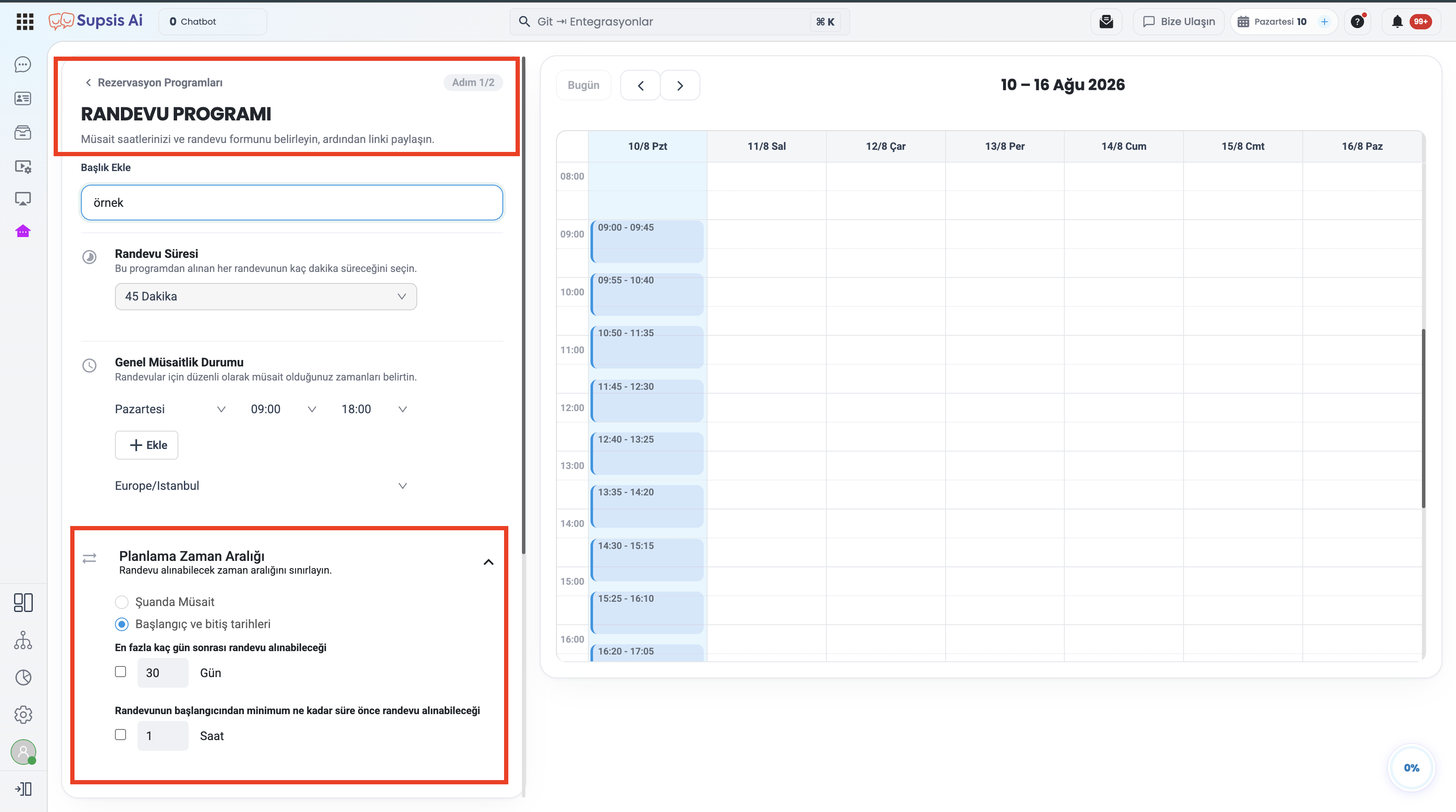
1.a – Today's Date Selectability & Future Time Slots:
* When customers open the booking page, today's date remains enabled.
* Customers can select available future time slots for the current day.
* Only past hours are disabled for selection.
1.b – Minimum Booking Duration Rules:
If the "Minimum Booking Duration" rule is enabled in appointment settings, it takes precedence.
* Example:* If minimum booking duration is set to 24 hours, today's date remains disabled.
* If disabled or set to a shorter duration, future hours of today become selectable immediately.
2-) Chatbot & Artificial Intelligence (AI) Booking
The Supsis AI Chatbot infrastructure analyzes available calendar slots and completes appointment records automatically during conversation.
2.a – Chatbot AI Settings (Appointment Tab Configuration):
An Appointment* tab has been added to knowledge sources under Chatbot → AI Settings.
* Defined appointment programs are listed here alongside active booking counters.
* Select and introduce booking programs to the AI agent.
2.b – Automated Slot Filtering & Booking Flow:
During live chat, AI executes the following steps automatically:
1. Data Collection: Collects form fields (first name, last name, email, phone) within the chat flow.
2. Busy Slot Filtering: Filters out occupied calendar slots and conflicting appointments.
3. Selection & Confirmation: Presents available slots to the customer, confirms the selection, and registers the booking.
4. Linking to Conversation: Bookings are linked directly to the live conversation card so agents can view appointments in chat history.
3-) Chatbot Diagram Flow Blocks Integration
Reservation blocks within diagram-based Chatbot flows have been updated:
- Slot Calculation Parity: Date selection and booking steps use the exact same slot calculation rules as live booking programs.
- Variable Management: Date, time, and booking reference numbers are automatically saved to Chatbot variables for use in subsequent flow steps or SMS/Email notifications.
4-) Calendar JavaScript SDK for Automations
Calendar and booking operations can be executed programmatically inside Automation JavaScript code blocks.
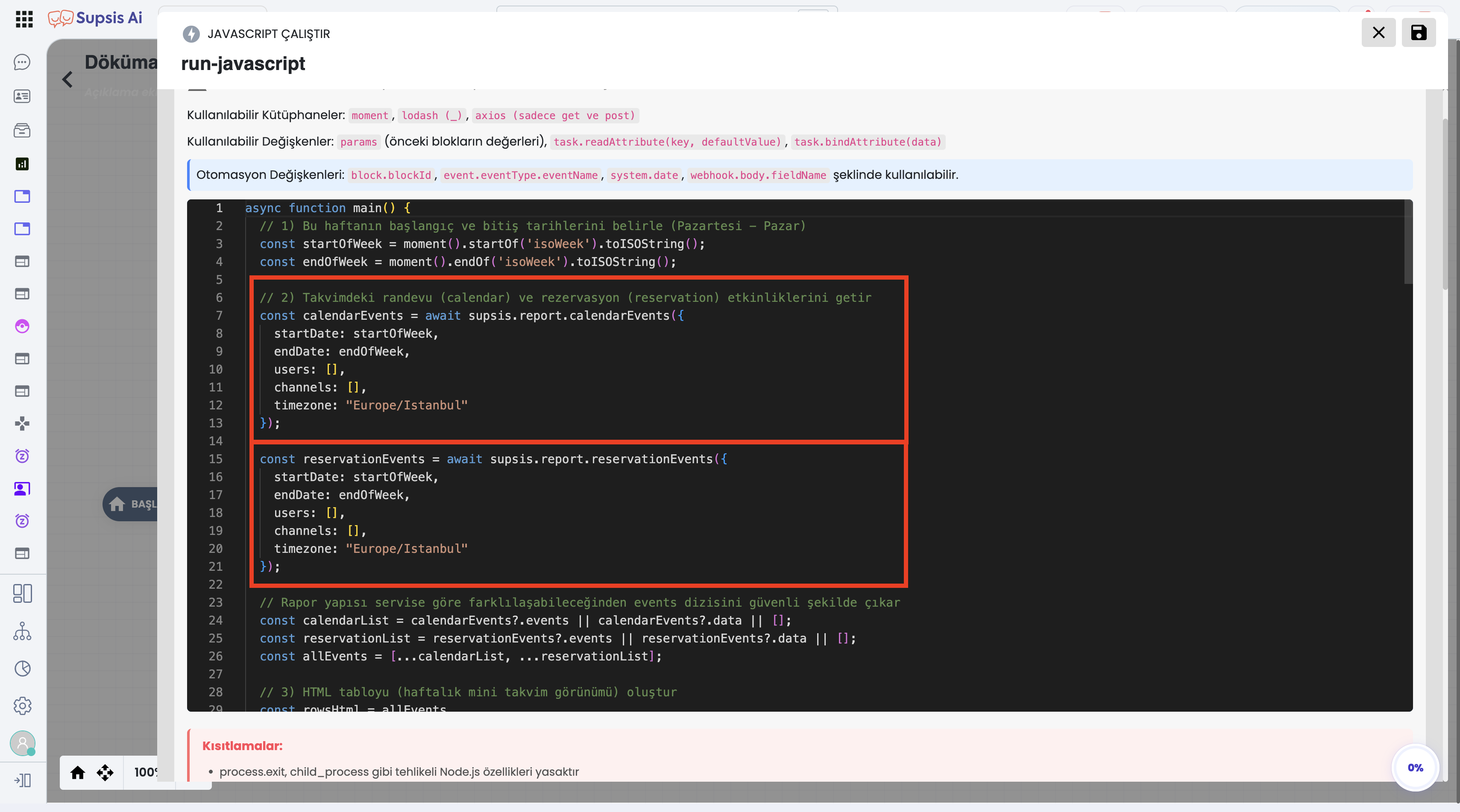
4.a – Calendar SDK Function Signatures & Details:
| Function | Description |
|---|---|
getCalendars() |
Returns a list of authorized calendars in the system. |
createEvent(data) |
Adds a new event to the specified calendar (supports Google Meet option). |
getEvent(eventId) |
Fetches details and time slot data for a specific event. |
deleteEvent(eventId) |
Deletes an event from the calendar and synced platforms. |
checkAvailability(params) |
Checks availability for a specified date and time range. |
createBooking(bookingData) |
Creates a booking on behalf of a customer via appointment programs. |
4.b – Automation Usage Code Examples:
// Example 1: Creating an Automated Booking & Meet Link for Form Submissions
const bookingResult = await supsis.calendar.createEvent({
  title: "Discovery Call - " + contact.name,
  startTime: "2026-08-12T14:00:00Z",
  endTime: "2026-08-12T14:30:00Z",
  addGoogleMeet: true,
  description: "Automated booking created via web form submission."
});

// Example 2: Adding a Follow-Up Calendar Event When Chat Closes
if (chat.isClosed) {
  await supsis.calendar.createEvent({
    title: "Customer Follow-Up Call: " + contact.name,
    startTime: getFutureTime(24), // 24 hours later
    reminderMinutes: 30,
    color: "#3b82f6"
  });
}
📌 Important Note: Creating Google Meet events via Automation SDK requires the calendar owner to have a connected Google account.