
Telegram (BotFather) Integration
1-) Integration Steps
This section of the document includes the steps required to obtain the bot token and create a channel in order to complete the Telegram (BotFather) integration within Supsis AI.
1.a – Obtaining the Telegram Token
To use the Telegram BotFather integration, you must create a bot via BotFather and obtain its token information. The token is a unique access key used to operate the bot through the Telegram API.
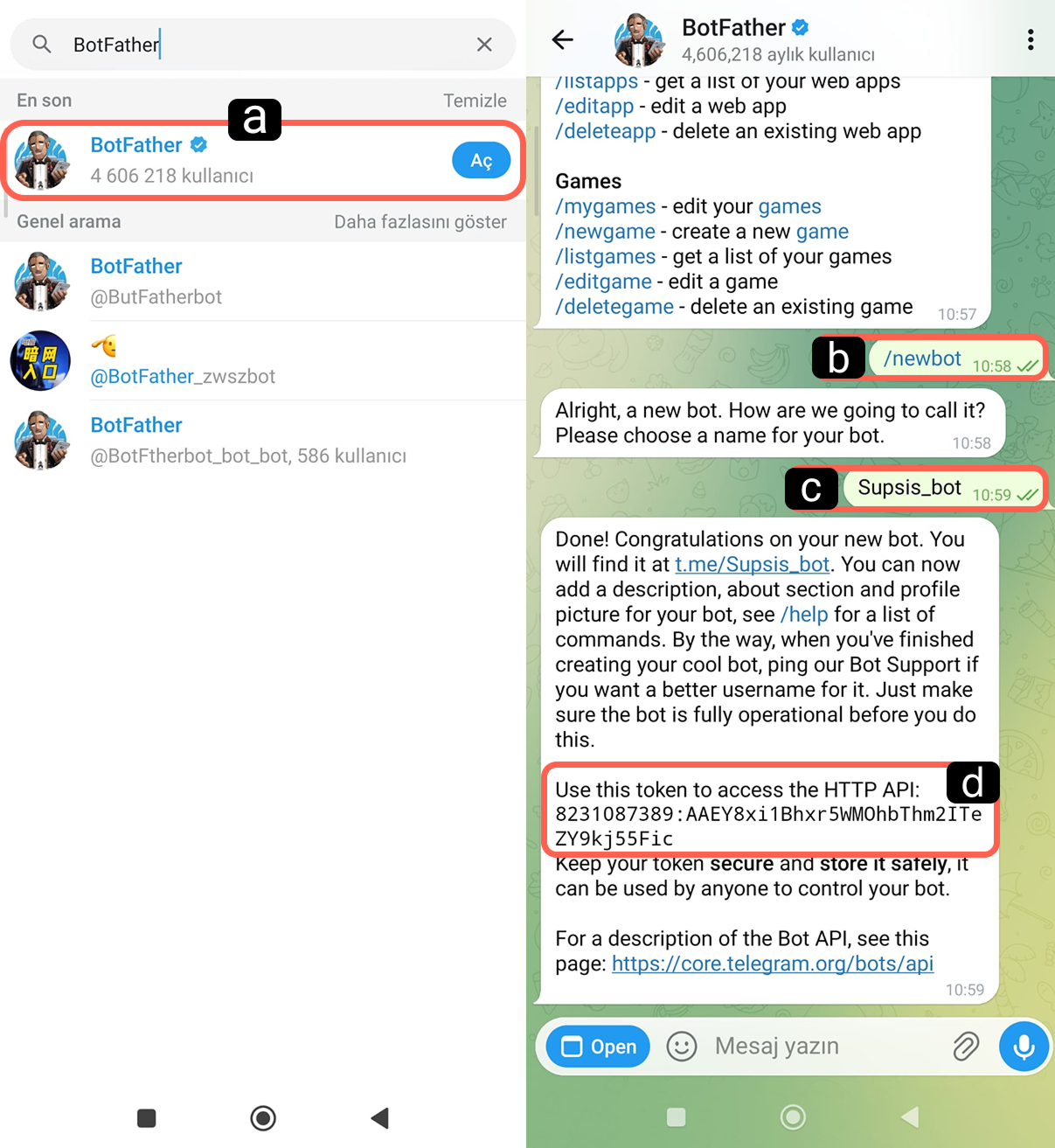
-
a – Access BotFather
In Telegram, type “BotFather” into the search bar and open the verified @BotFather account. Start a conversation. -
b – New Bot Command
In the BotFather chat, send the /newbot command to create a new bot. -
c – Bot Name
Enter the username that will be used to access your bot via the search bar. Do not use Turkish characters or punctuation marks in this field. -
d – Token
Once the bot creation process is completed, BotFather will send you the token information in a message. Copy this token, as it will be required for the integration.
1.b – Creating the Channel
To complete the integration, follow the steps below in your Supsis AI panel:
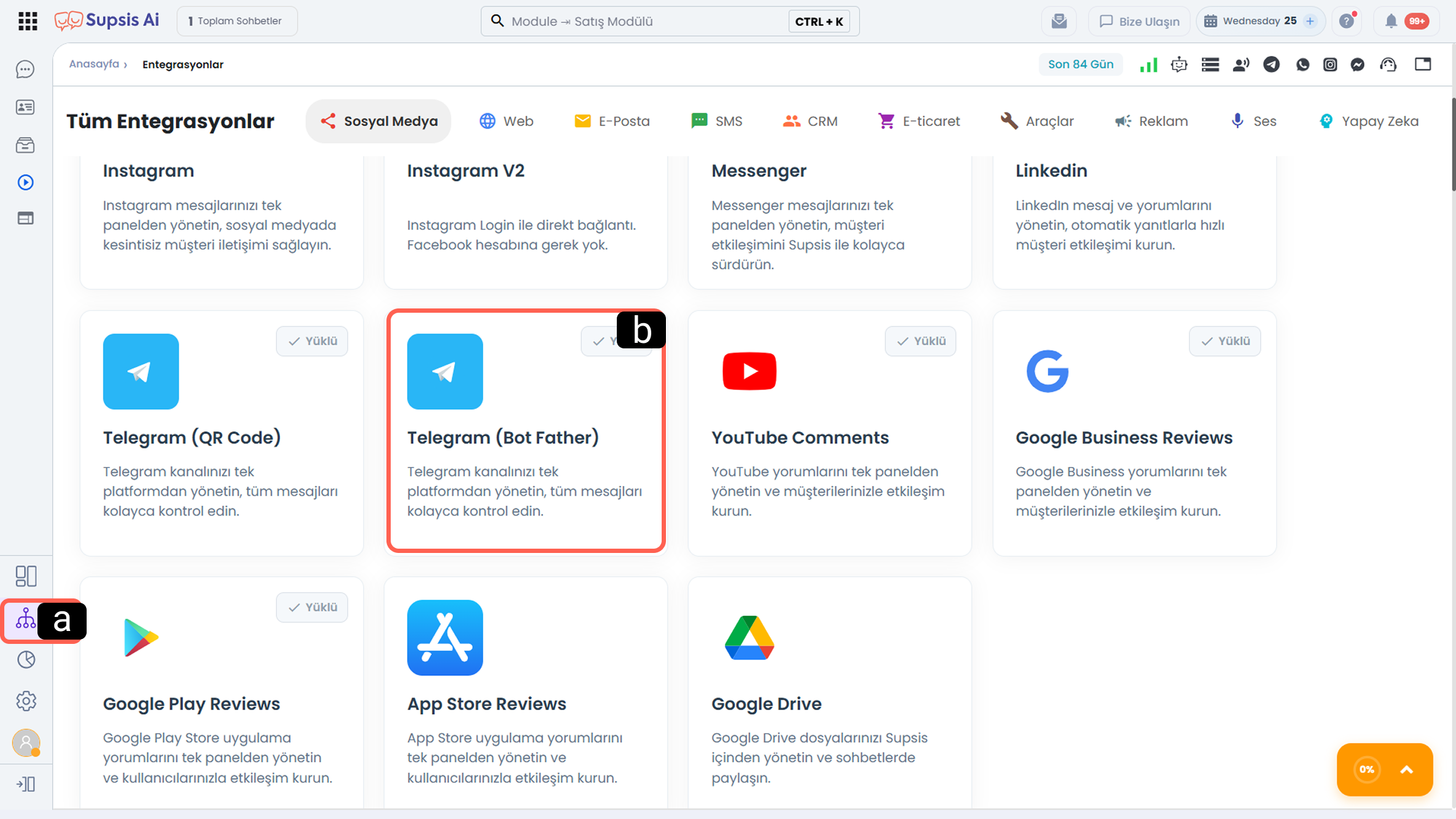
-
a – Integrations
Click the Integrations icon located in the left menu of your Supsis AI panel. -
b – Telegram (Bot Father) Channel
Find the Telegram (Bot Father) card in the social media channels list and click on it to view the channel details.
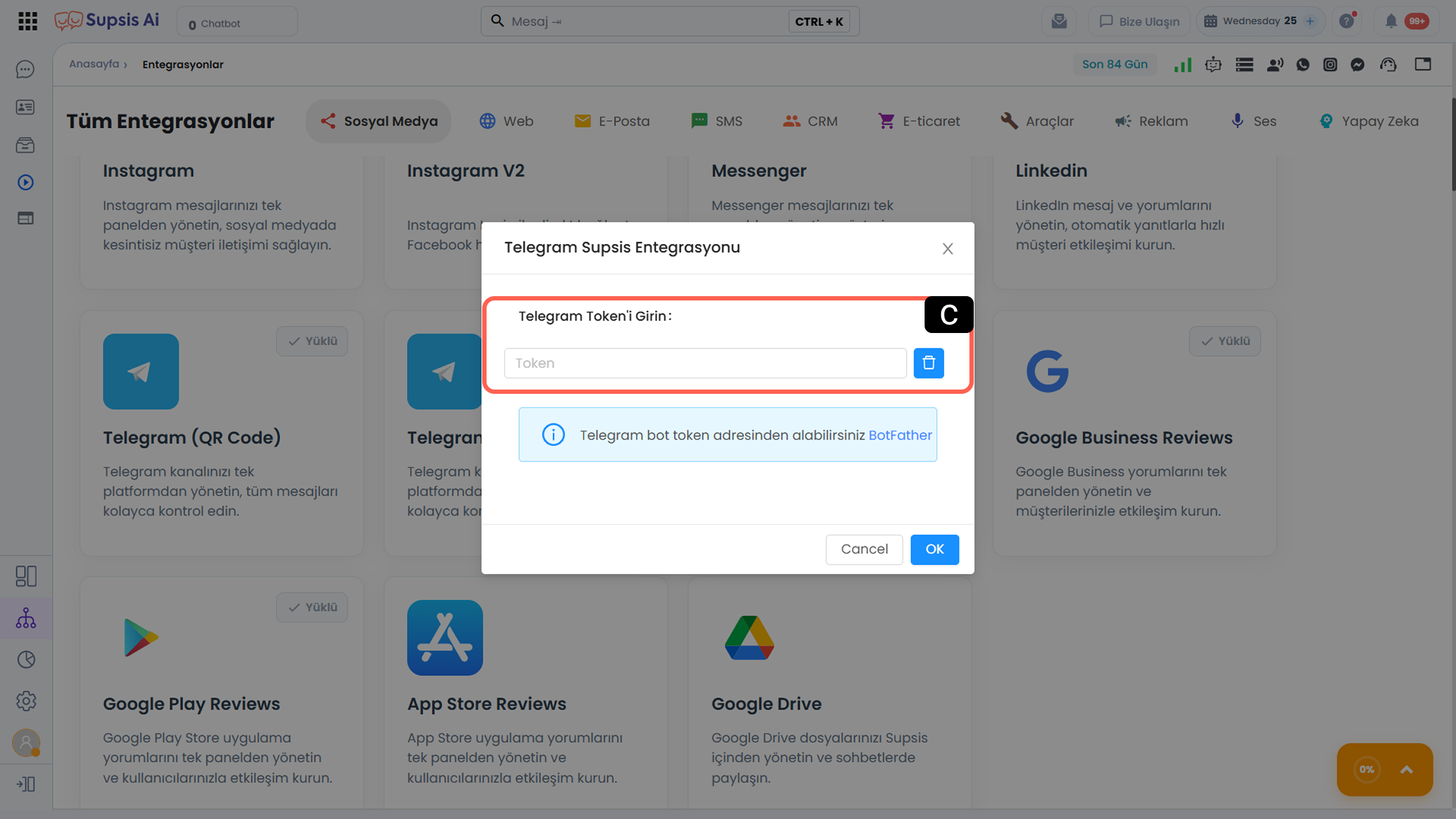
- c – Enter Token
Enter the token you received from BotFather into the field in the opened window and confirm the process.
Note: Access and control between Telegram and Supsis AI are managed via the token. If the token changes, it must also be updated in Supsis AI or a new bot must be created.