
1-) Drive Menu
1.a – Accessing the Drive Menu
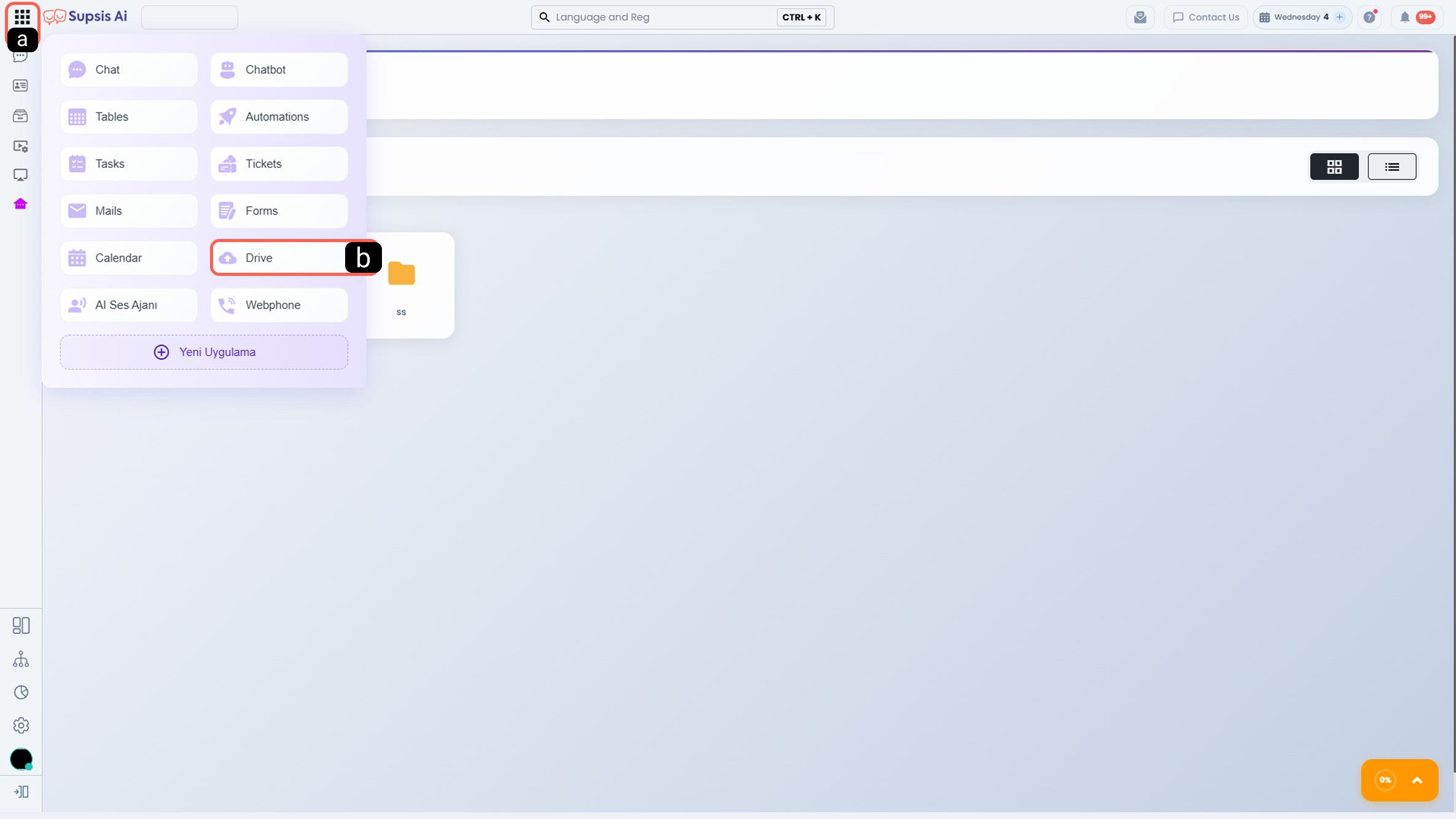
In the Supsis AI panel, you can access the Drive area by selecting the Drive option under the Modules menu.
-
a - Modules
This is the main menu area where all Supsis AI modules are listed. -
b - Drive
Redirects you to the Drive module, where file and folder management is performed.
1.b – Menu Content
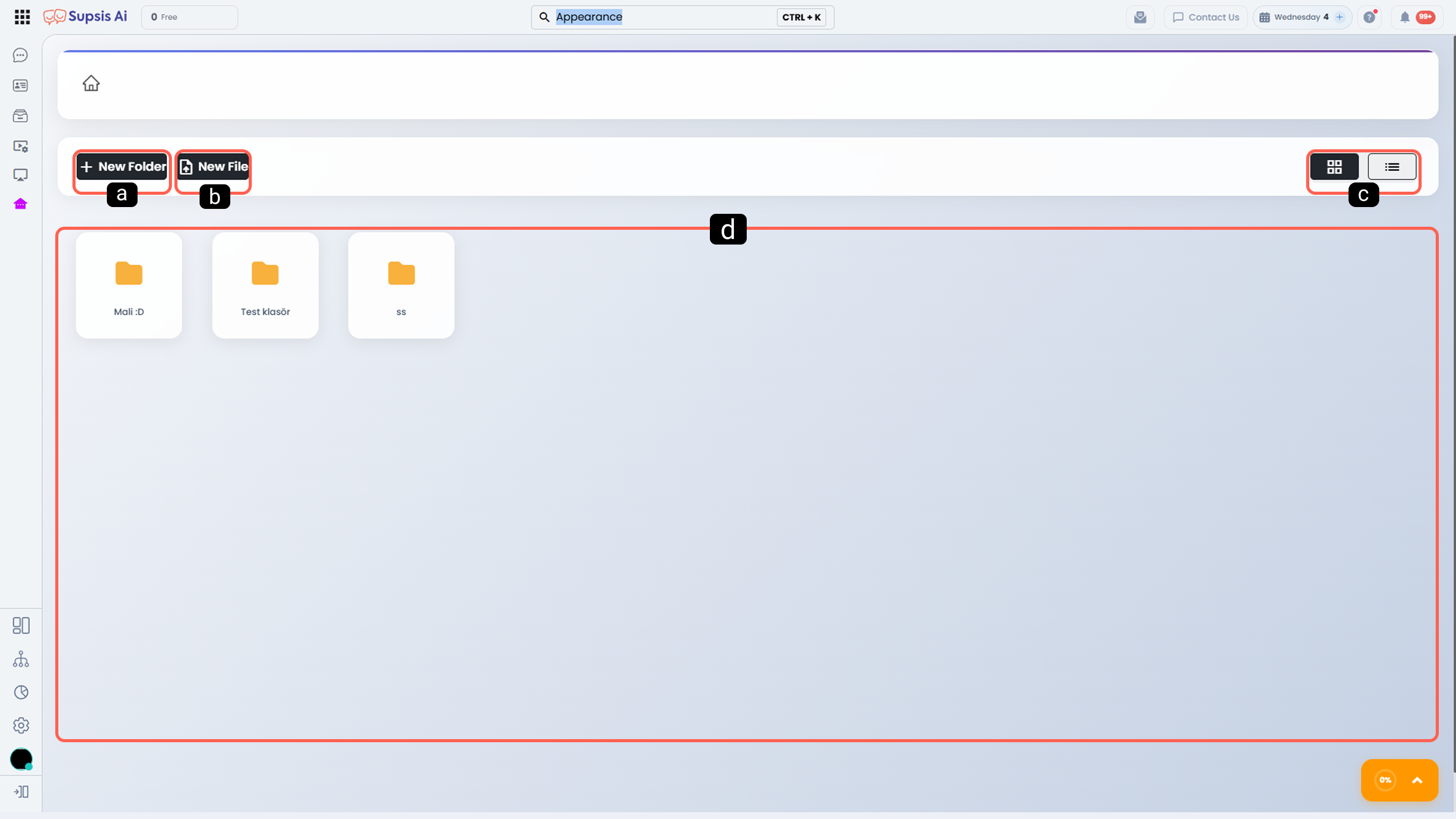
The following main sections are available in the Drive menu:
-
a - New Folder
Allows you to create a new folder within Drive so you can organize files into categories and keep them structured. -
b - New File
Used to upload a new file from your computer to Drive. -
c - View Customization
Enables you to display Drive content in either card view or list view. -
d - Drive Contents
The area where all created folders and uploaded files are listed.