

Automation
The Automation menu is the central workspace where you can automate your business processes, create scenarios, and analyze their performance. In this section, you can access all details related to automation creation, management, block usage, and analysis processes.
What are Automations Used For?
Automations are used to speed up customer communication and operational processes. When a specific event occurs (such as a new ticket being created or a message being received), the system can automatically take action; such as sending a response, assigning a user, adding a tag, or creating a notification. This helps save time while ensuring processes run more consistently and without errors.
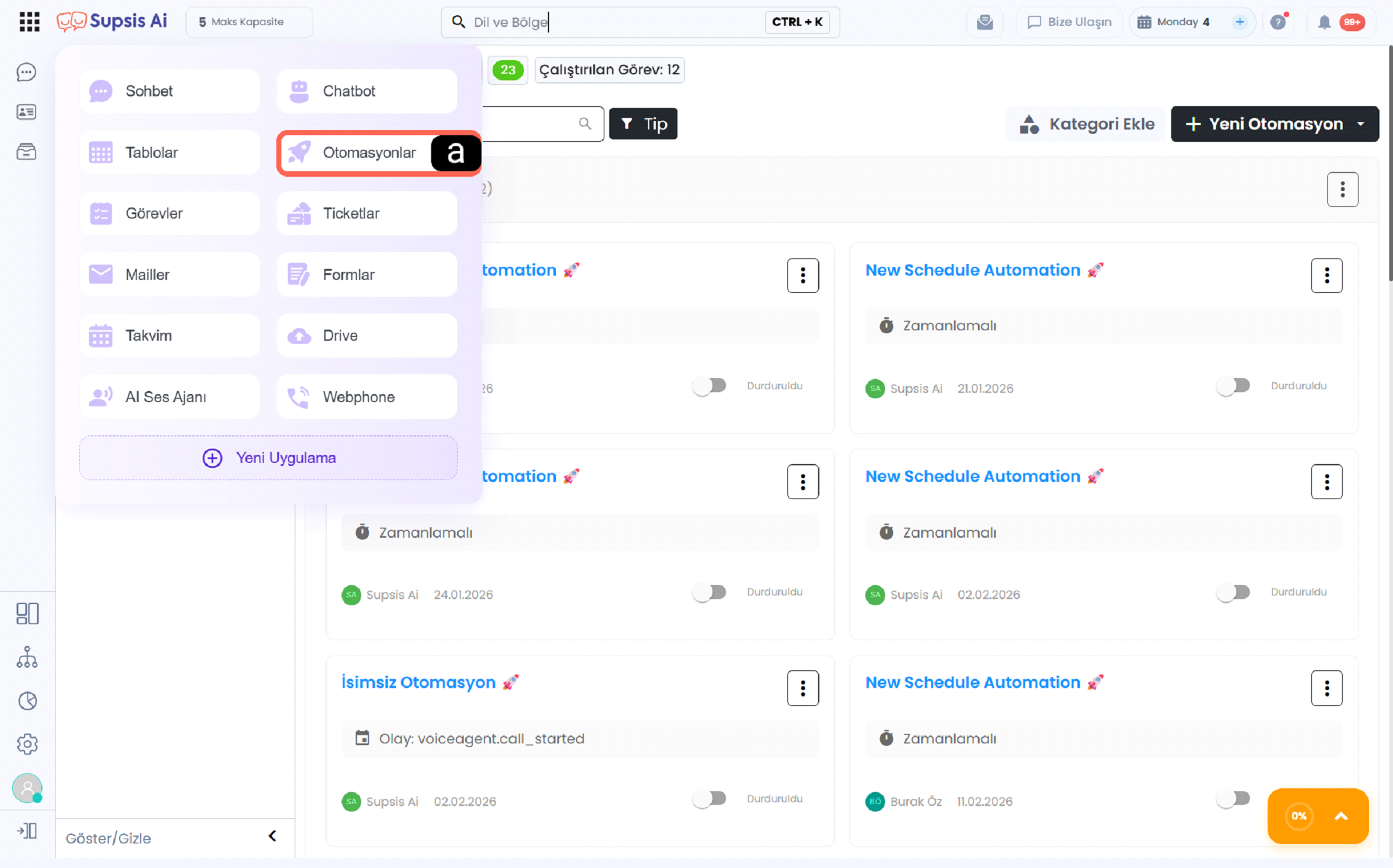
a - Automations Menu
The Automations option in the left menu provides access to the screen where created automations are listed. In this section, existing automations can be viewed, their statuses checked, and new automation workflows can be created using the New Automation option.
Operations Managed Within the Automations Module
-
Create Automation: New automations can be created to define processes based on specific triggers.
-
Automation List View: All automations in the system are displayed on a single screen.
-
Status Control: Active or inactive statuses of automations can be viewed and managed.
-
Edit Automation: Existing automations can be modified to update their content and workflow.
-
Category and Type Management: Automations can be organized into categories and types for better structure.
Contents
In this section, you can find all settings, management screens, and usage details related to automation.
Automation Menu
The main panel where you can list your automation scenarios, manage different automation types, and view analysis (statistics) data.
Automation Content
A detailed management area where you can design automations, run tests, publish flows, manage blocks, and configure system settings.
Automation Blocks
You can explore interaction, action, and data processing blocks that form the building blocks of automation scenarios in detail.
Overview
The automation structure consists of 3 main components:
- Scenario Management: Creating, editing, and managing automations by type
- Technical Settings: Testing, publishing, cache, and system configurations
- Flow Design: Processing data and automating workflows using blocks
With this structure, you can automate manual processes, speed up operations, and minimize errors.
What Can You Do?
- Create scheduled or trigger-based automations
- Automatically process user and system data
- Integrate with external systems (e.g., Webhook)
- Automate repetitive tasks
- Analyze and improve process performance