
The Add-on Packages available on the Billing & Payment page allow you to activate additional features and more flexible usage options offered within the Supsis platform. With these packages, you can define greater flexibility and advanced functionalities in your panel usage.
To use add-on packages, the following requirements must be completed via the panel:
- Payment Method and Billing Address information must be fully defined,
- The relevant package must be selected,
- The package must be activated.
Once the requirements are completed, the add-on packages can be used immediately.
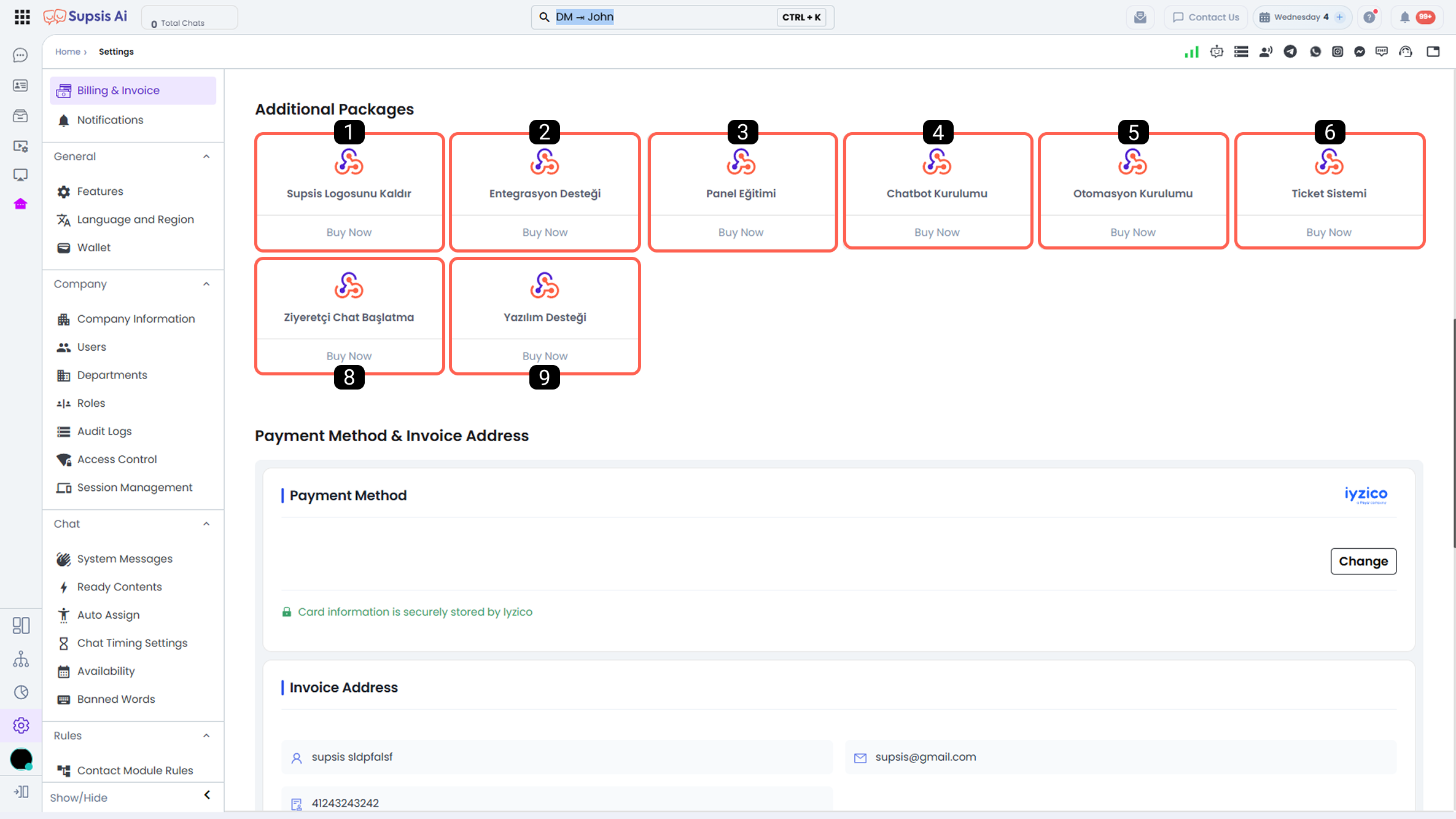
- Remove Supsis Logo
- Ticket System
- WhatsApp Voice Call
- Visitor Chat Initiation
- Webhook Integration
- Software Support
1-) Remove Supsis Logo
By purchasing this add-on feature, you can remove the Supsis logo displayed on your chat widget and achieve a brand-specific appearance.
2-) Ticket System
With this add-on feature, the Supsis Ticket System is activated. Through the Ticket menu, you can perform the following actions:
- Respond to Instagram and Messenger comments via tickets and keep these comments recorded in the ticket menu.
- Allow users to leave offline requests as tickets when live support is closed on your website.
- Automatically create tickets using the ticket creation block defined in the chatbot scenario diagram.
- View and respond to questions received from your Trendyol channel within the ticket menu and keep them recorded.
- Create tickets through automations.
- Receive ticket requests through forms.
3-) WhatsApp Voice Call
By purchasing this add-on feature, you can call customers who contact you via your WhatsApp Business API channel directly from the Supsis panel through your browser.
4-) Visitor Chat Initiation
By activating this feature, you can start chats directly with visitors on your website. This enables proactive communication before visitors send a message.
5-) Webhook Integration
With this add-on feature, you can receive data from external sources into Supsis via Webhooks and send data from Supsis to external systems. This allows you to integrate Supsis seamlessly with your existing software infrastructure.
6-) Software Support
By purchasing this add-on feature, you can receive specialized technical, integration, and setup support from the Supsis technical team.