
Automation - Ideasoft JavaScript SDK Functions
1-) Ideasoft Integration and JS Functions
This section covers the usage of the new SDK functions added for Ideasoft e-commerce integration within the JavaScript block (Run JavaScript) in the Supsis AI Automation module. With these functions, you can list abandoned carts in your automation workflows, retrieve product details within carts, and easily query member profile details using various parameters.
1.a – Prerequisite: Ideasoft Channel Connection
To use these functions in automation, the Ideasoft OAuth integration must be completed.
- a – Ideasoft Channel Settings:
Make sure your Ideasoft channel is connected and active on the Settings > Integrations page. ThechannelIdto be used in SDK functions should be the ID of this channel.
1.b – Automation Editor and Autocomplete Support
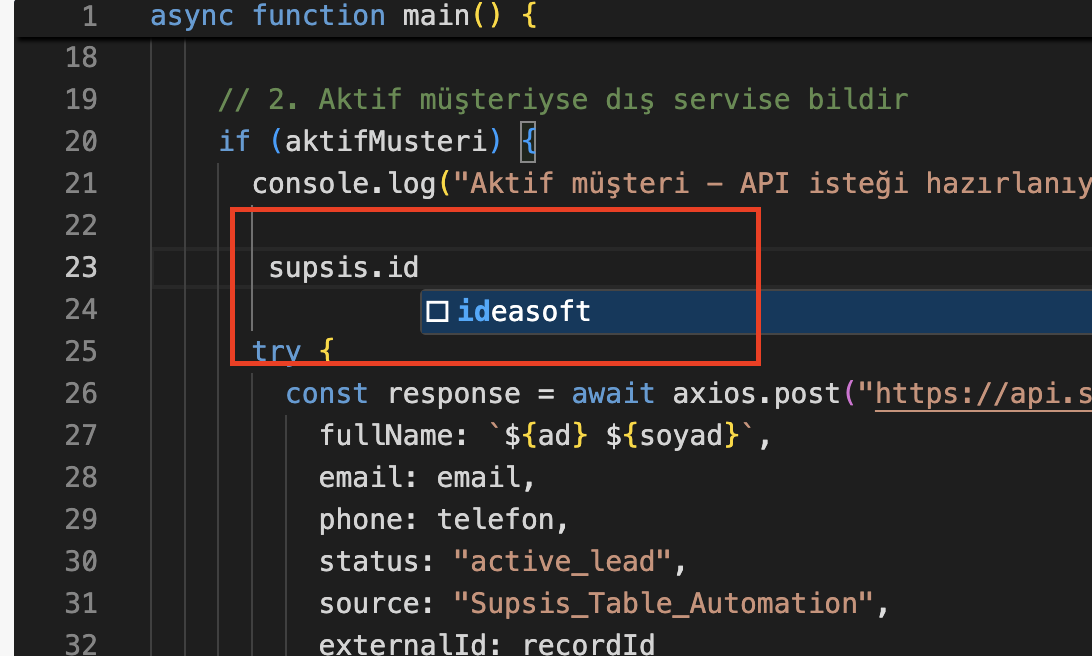
When you add a JavaScript block within an automation, the autocomplete feature activates to speed up code writing and prevent errors.
- b – SDK Namespace and Suggestions:
The moment you typesupsis.ideasoft.in the editor, theabandonedCartandmembermodules are suggested via autocomplete, and corresponding code snippets are automatically completed along with page/limit variables.
1.c – Listing Abandoned Carts (Abandoned Cart)
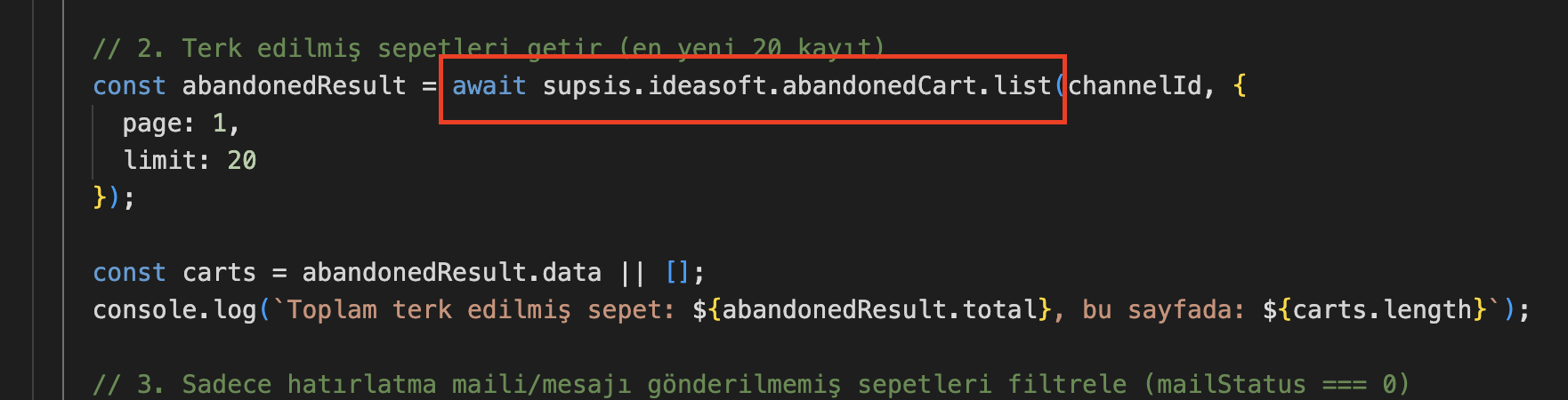
Used to detect products left in carts by customers and access their details.
- c –
abandonedCart.listFunction:
Executed viaawait supsis.ideasoft.abandonedCart.list('ideasoftChannelId', { page: 1, limit: 20 }). The limit can be up to 20. The system automatically sorts carts from newest to oldest (sort: -id) in the background. - d – Product Details and URL:
The returnedcart.itemsdata contains product name, SKU code, price, quantity, and directproductUrl(product link) information that can be sent to the customer via message. (Note: Additional background API requests are made for cart details and link info on each page).
1.d – Member Profile Querying (Member Get)
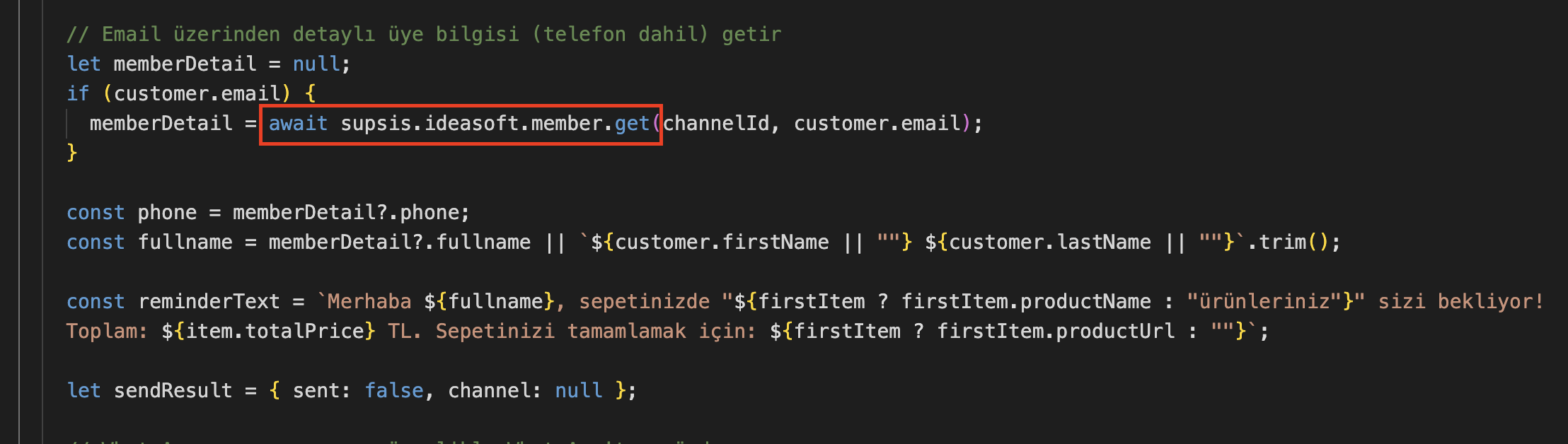
Used to quickly access profile details of a specific e-commerce member.
- e –
member.getFunction and Auto Detection:
Executed viaawait supsis.ideasoft.member.get('ideasoftChannelId', 'identifier'). In theidentifierfield, you can enter member ID ('270488'), email address ('customer@email.com'), or phone number ('905551234567'). The system automatically analyzes the data type and finds the relevant member (returnsnullif no member is found).
1.e – Sample Usage Scenarios
You can implement the following scenarios using Ideasoft SDK functions to increase your e-commerce conversions:
- Abandoned Cart Reminders: Query carts daily, dynamically insert product name and link (
productUrl) into message templates, and automatically send reminder messages via WhatsApp. - Filtered Actions: Apply
mailStatus === 0(carts where no email has been sent yet) filter on returned cart data to send SMS or email exclusively to relevant customers. - Flexible Profile Verification: Before or after cart reminders, query the detailed profile using only the member's email address and verify marketing permissions (GDPR/KVKK) in the automation flow.