
Working Hours
Working Hours allow you to control when visitors can receive service. Online visibility, working hours, offline ticket requests, and offline chatbot & AI scenarios are managed through the information entered in this section.
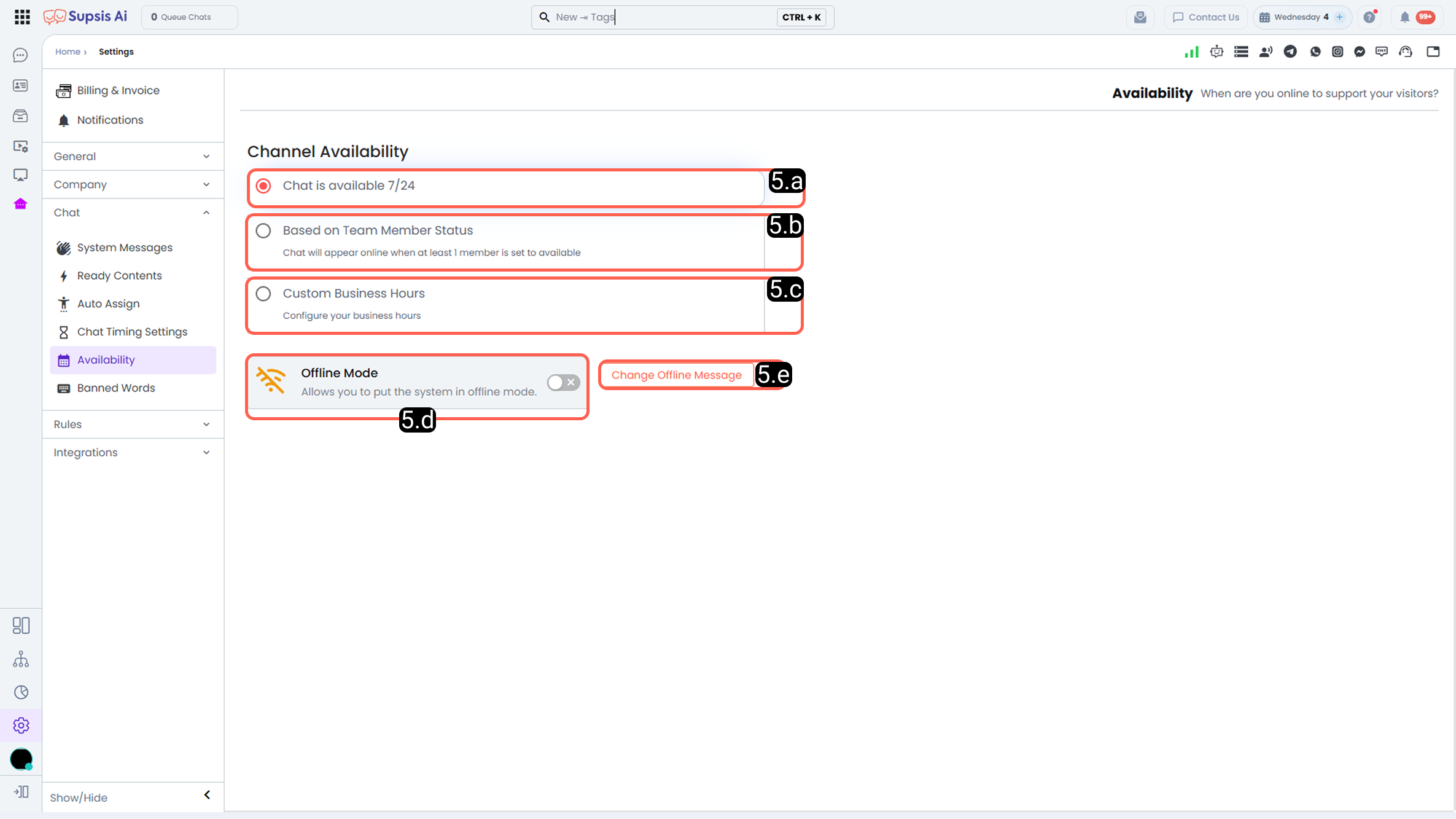
a – 24/7 Continuous Service:
System remains online at all times. Visitors can initiate a chat regardless of agent status or working hours, providing an uninterrupted service experience.
b – Within Agent Working Hours:
System is online only when at least one agent is online. When no agent is online, the system automatically switches to offline mode.
c – Custom Working Hours:
Manually define specific working hours. System is online during designated days and hours of the week, and offline at other times.
d – Offline Mode:
System is manually set offline. Regardless of working hours, visitors cannot initiate a chat. Used for maintenance or planned pauses.
e – Offline Message:
Customize the notification message displayed to visitors attempting to connect via the chat bubble when the system is offline.