

Integrations
Integrations in Supsis allow you to manage different communication channels and business tools from a single platform. With integrations such as social media, web, email, SMS, CRM, e-commerce, and AI, you can collect, monitor, and manage customer messages from multiple channels in one place. This helps streamline communication processes and improves overall customer experience.
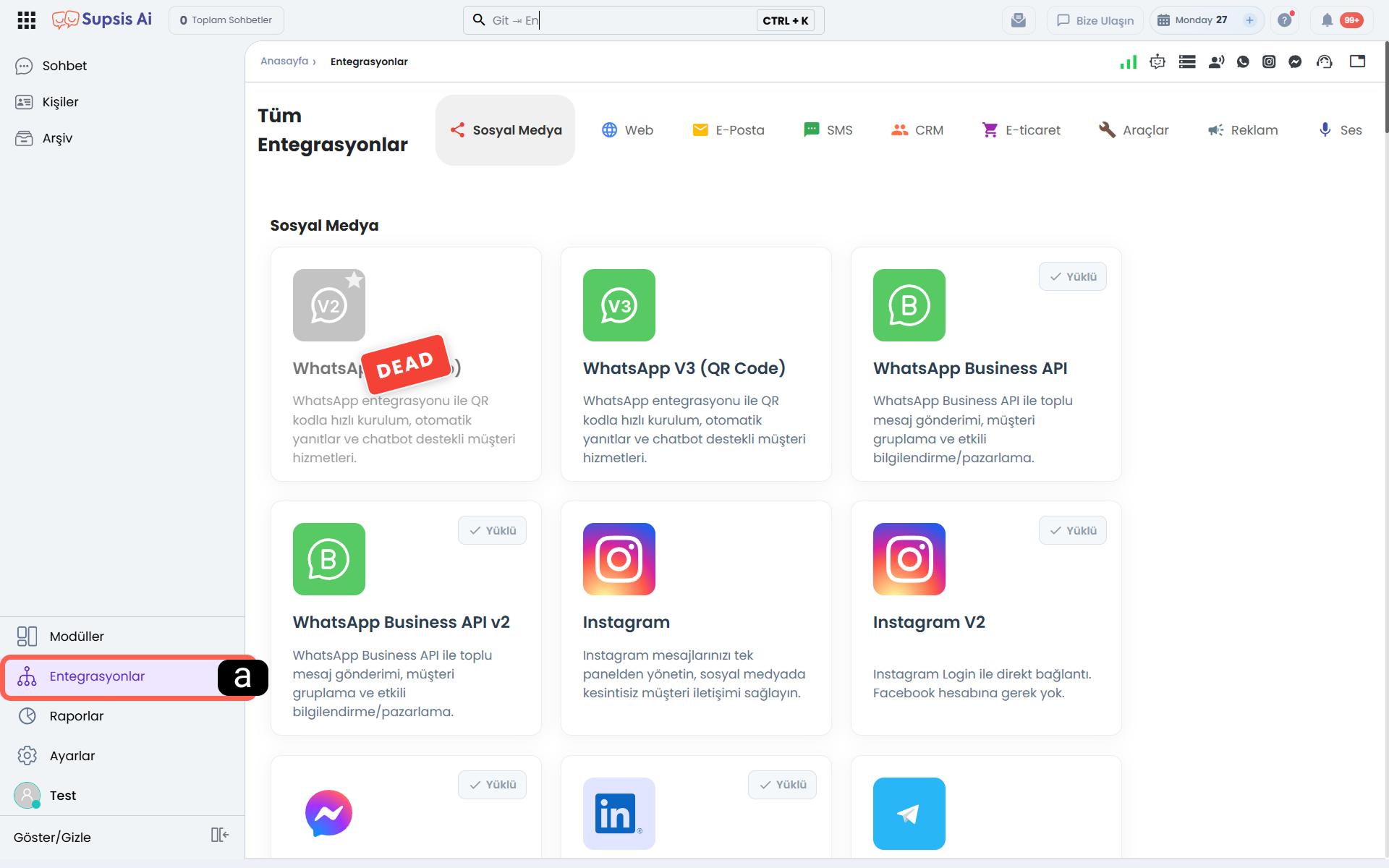
a - Accessing the Integrations Menu - To access integrations in the Supsis AI panel, click on the Integrations option from the menu on the left side.
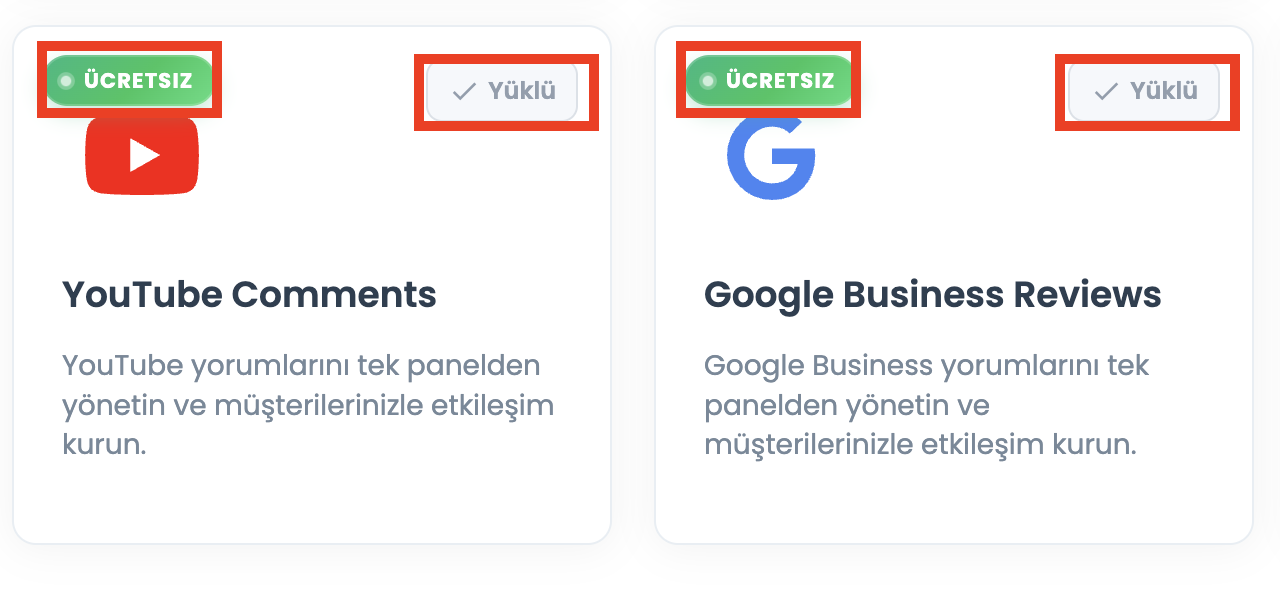
b - Free Integration Badge Display
On the Integrations page, specific integration cards display a green ● FREE (ÜCRETSİZ) badge in their top-left corner. This badge indicates that the integration module can be enabled without any extra Supsis package or licensing fees (excluding 3rd-party API or usage charges).
- Free Badge Distribution Across Categories:
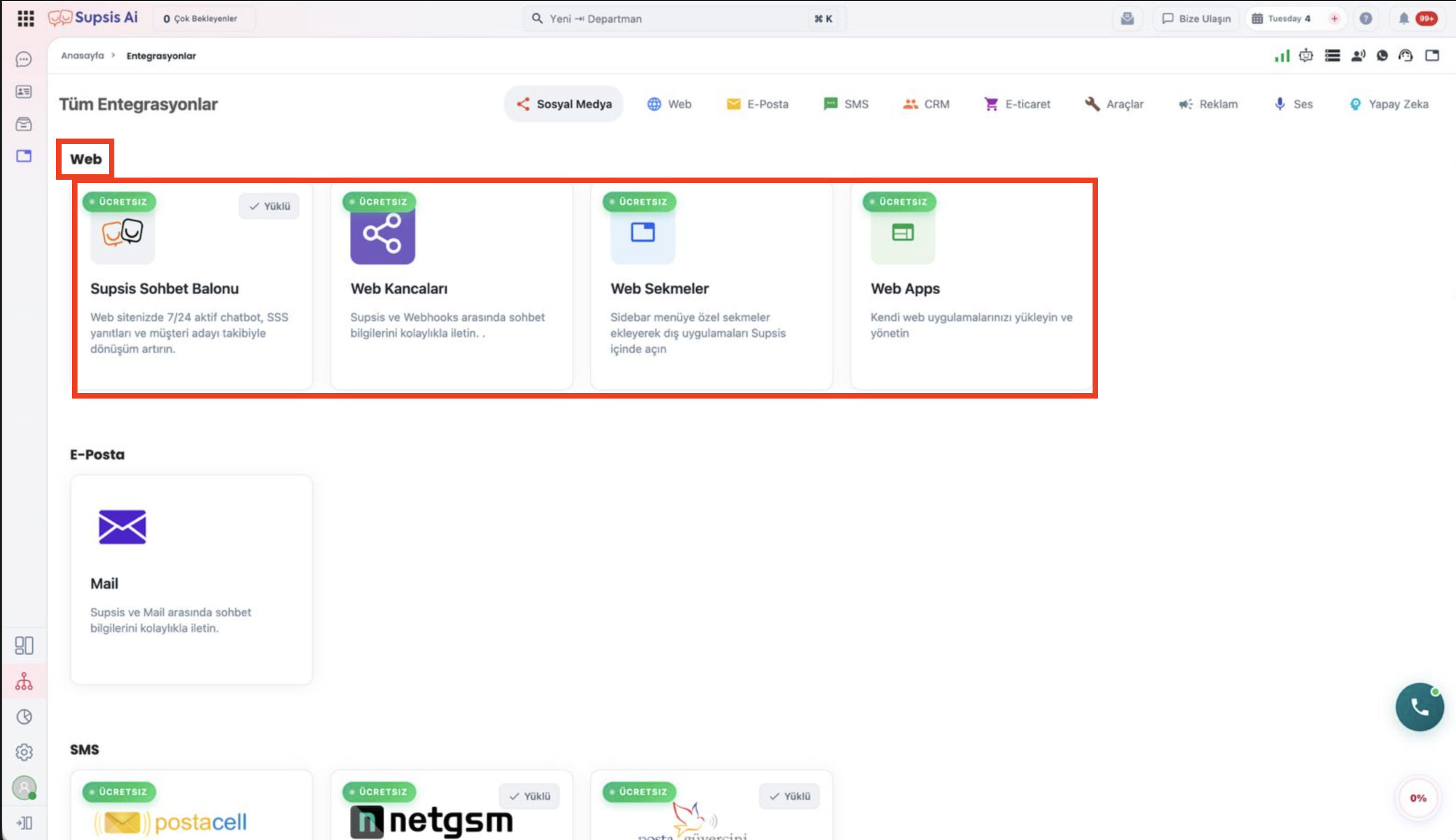
- Web Category: Supsis Chat Bubble, Webhooks, Web Tabs, Web Apps.
- SMS Category: SMS – Postacell, SMS – Netgsm, SMS – Posta Güvercini.
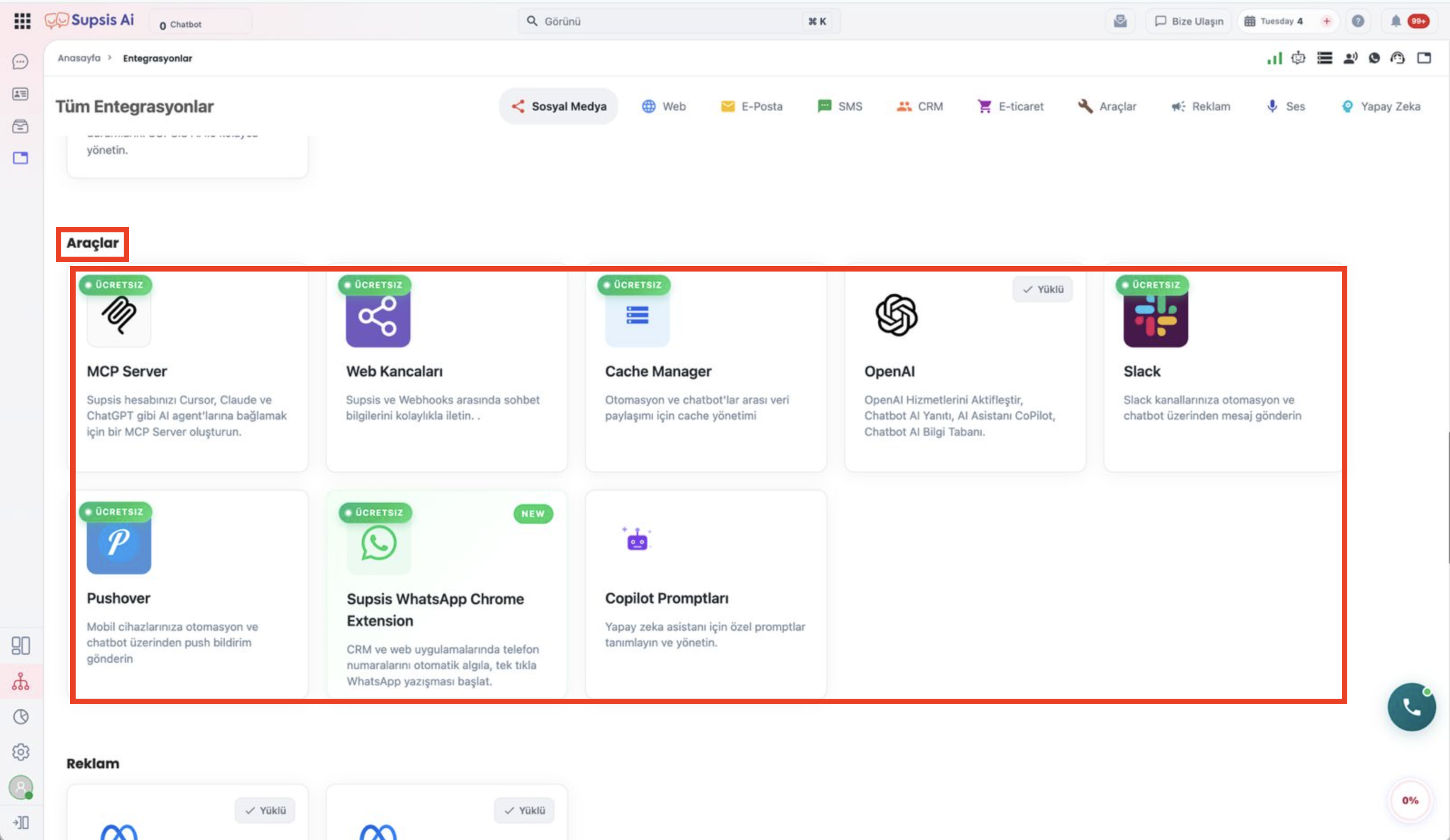
- Tools Category: MCP Server, Webhooks, Cache Manager, Slack, Pushover, Supsis WhatsApp Chrome Extension.
-
Social Media & Other: YouTube Comments, Google Business Reviews, etc.
-
Dual Badge Display (FREE + Installed): For installed free integrations, the green
● FREEbadge on the top-left appears seamlessly alongside the✓ Installedbadge on the top-right.
c - Meta Integrations Channel Health & "Reconnect Required" Badge
For Meta-based communication channels (Instagram, Instagram V2, Messenger, Meta Leads), if a password changes, admin roles are modified, or the Meta access token expires (token-invalid), an orange Reconnect Required badge is displayed on the integration card.
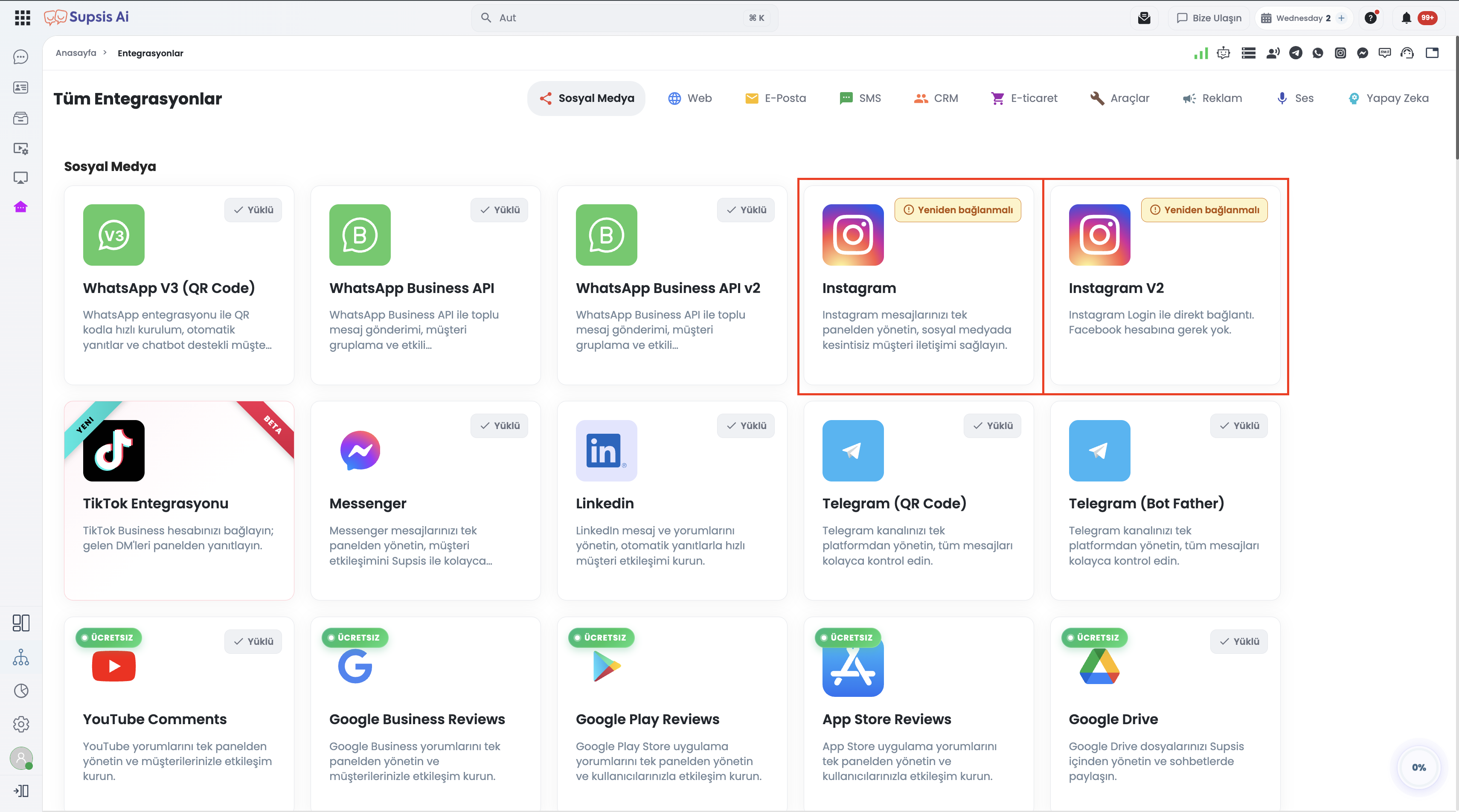
- Early Warning Mechanism: Users immediately recognize which Meta integration requires re-authentication on the main integrations page.
- Direct Channel Navigation: Clicking the card navigates directly to the affected channel list to re-authenticate via Meta OAuth with a single click.
Category-Based Views
-
Web Integrations (Free Badge Cards):
-
SMS Integrations (Free Badge Cards):
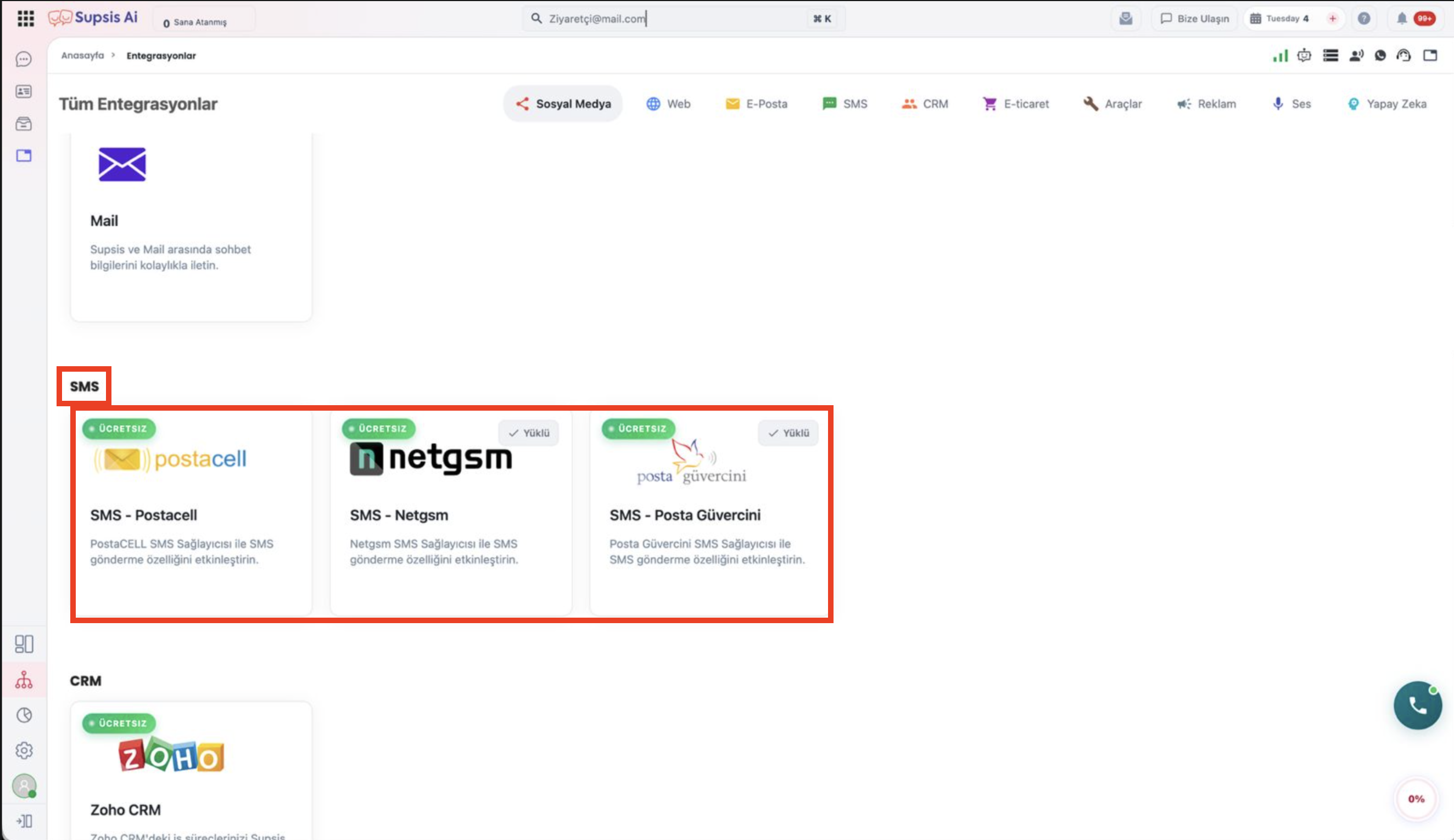
-
Developer & Tool Integrations (Free Badge Cards):
Conclusion
The Supsis Integration Panel helps businesses establish a more synchronized workflow across different systems and channels. With customizable integration options based on your needs, teams can manage communication processes more easily, track customer requests faster, and increase operational efficiency.
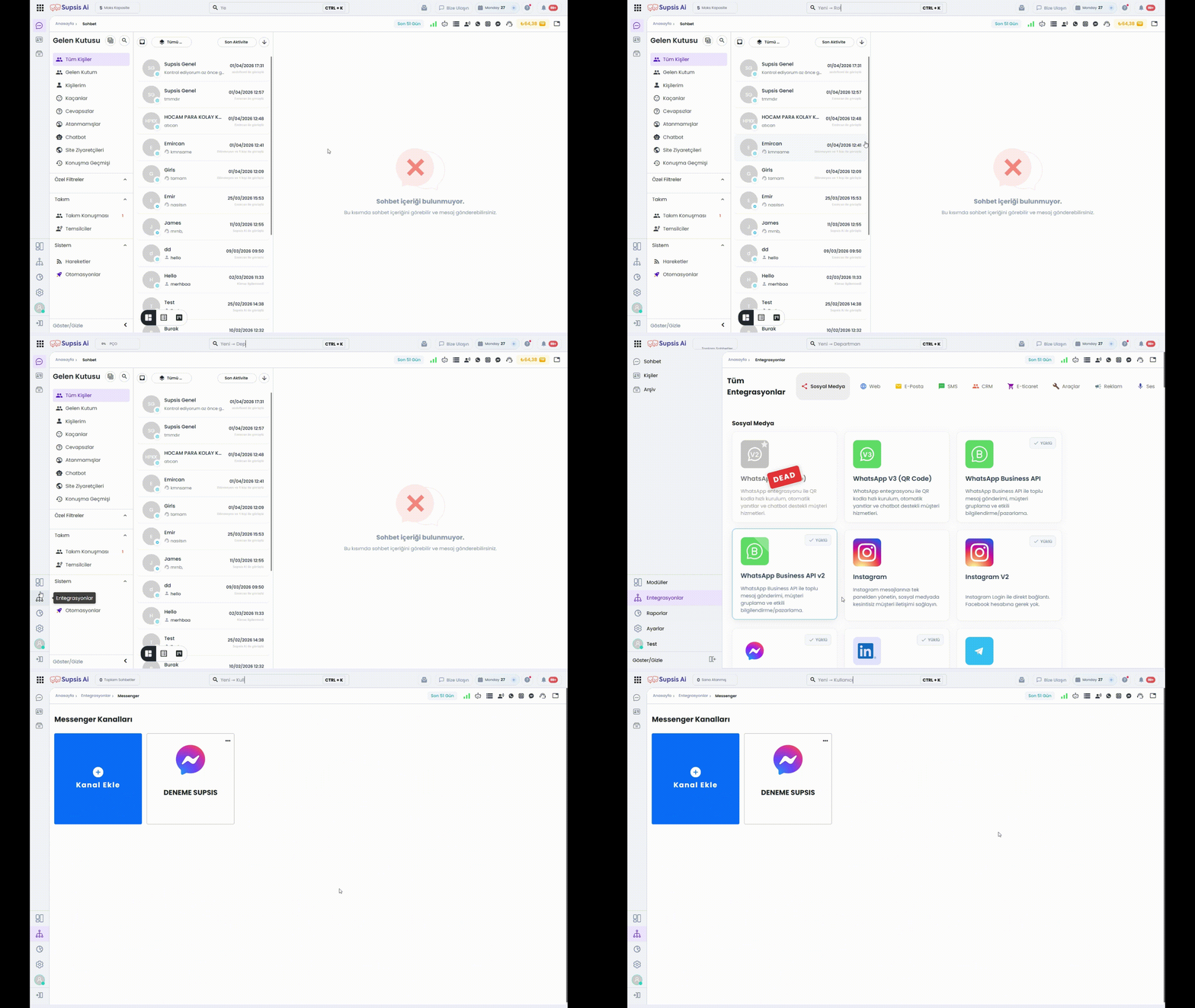
You can access all integration documents via the sections below.
Table of Contents
Social Media & Messaging Channels
WhatsApp Business API
WhatsApp Business API uses the official WhatsApp infrastructure for corporate and scalable customer communication. It allows you to create button messages, chatbot scenarios, and automation flows. All messaging traffic is recorded via the Supsis panel and can be reported in detail.
Meta Business Verification & Safety Guide
A comprehensive guide covering Meta Business Manager verification steps, document preparation, WhatsApp ban prevention rules, messaging limit scaling, and appeal processes.
Covers Instagram and Messenger integration steps via Meta Business Suite. It allows you to manage customer communication from a single center by transferring Instagram DM, comment, and message traffic to the Supsis AI panel.
Instagram V2
Instagram V2 integration provides quick setup directly with Instagram login information without needing a Facebook connection. Includes professional account requirement and permission management steps.
Messenger
Covers Messenger messaging integration via Facebook Page. Meta Business Suite portfolio structure, page authorization, and channel creation steps are explained in detail.
TikTok
TikTok Business Messaging API integration centralizes direct messages (DMs) from your TikTok Business account into Supsis. Features the 48-hour messaging window, 10-message rule validation, interactive button cards, 90-day conversation history synchronization, and Chatbot automation.
TikTok Automatic Messages
Native conversation starters displayed at the start of a TikTok chat: Welcome Message, Suggested Questions, and Chat Prompts. Covers TikTok content audit workflows, character limits, and Supsis Chatbot integration steps.
Telegram (BotFather)
Integration is provided with the token information of the Telegram bot created via BotFather. Bot creation, token retrieval, and definition steps to the Supsis panel are included in this document.
Telegram (QR Code)
Allows you to connect your Telegram account directly to the Supsis AI panel using the QR code method. Login verification and two-factor authentication (2FA) processes are detailed.
SMS (Postacell)
Enables bulk or individual SMS sending via Postacell infrastructure. API integration allows sending notifications, campaign, and reminder messages.
NetGSM
Allows bulk or individual SMS sending integrated with NetGSM infrastructure. You can send automated notification messages to users via API connection.
Allows you to integrate your LinkedIn messaging channel into the Supsis AI panel. Authorization process is carried out via LinkedIn.
Mail Integration
Allows creating custom email addresses with Supsis domain and forwarding existing mail accounts. Manage all mail traffic from a single panel.
Developer & AI Integrations
MCP-Server Integration
Connect your Cursor IDE, Claude Desktop, and LLM tools live to the Supsis database via Model Context Protocol (MCP) infrastructure.
OpenAI Integration
Connects OpenAI infrastructure to Supsis for AI-based response generation, AI assistants, and Voice Agent modules.
Copilot Prompt Settings
Configures working principles and custom prompt rules for agent response suggestions and smart writing assistant.
Copilot Smart Writing Suggestion
AI Copilot usage that minimizes agent response times by generating automated response drafts for customer messages.
Webhooks
Allows sending events in Supsis AI to external systems via HTTP requests for real-time data synchronization.
Web Tabs
Allows adding external web pages or internal Web Apps as tabs to the panel menu.
Web Apps
Integrate your custom frontend applications directly into the Supsis AI panel as embedded tools or templates.
JS RAG Integration
Define your knowledge base and documents as AI sources using RAG (Retrieval-Augmented Generation) infrastructure.
E-Commerce & CRM Integrations
IdeaSoft
Integrate your IdeaSoft e-commerce infrastructure with Supsis AI to view customer info and manage orders from live chat.
IdeaSoft JavaScript SDK Functions
Custom JS SDK functions, cart events, and customer data sync guide for IdeaSoft stores.
İkas JavaScript SDK & Cart Reminder
Automated abandoned cart detection and WhatsApp/SMS reminder workflows for İkas e-commerce stores.
Ticimax
Connect your Ticimax e-commerce store to Supsis AI. Track customer info, order statuses, and e-commerce data in real-time.
Zoho
Synchronize customer communications and records with Zoho CRM integration.
Pipedrive CRM
Pipedrive CRM integration features simple API Token connection, two-way person/lead/deal forwarding, in-chat CRM sidebar, automation action blocks, and 10 webhook event triggers.
Monday CRM
Monday CRM integration features personal API Token authentication, dynamic Board and Column Mapping, two-tier forward architecture, live in-chat CRM customer sidebar with update/notes history, 10 automation event triggers, and advanced JS SDK capabilities.
HubSpot CRM
HubSpot CRM integration features Access Token connection via Service Key or Private App, automatic contact and deal forwarding, deduplication (dedup), in-chat CRM customer widget, 4 automation action blocks, and 10 webhook event triggers.
Other Integrations & Notifications
Cache Manager
Temporary data sharing and session storage manager between chatbot and automation scenarios.
Slack
Forward events from the Supsis AI panel as notifications to your company's Slack channels.
Meta Leads
Transfer lead data from Facebook and Instagram ad forms into the Supsis AI panel in real-time.
TikTok Leads
Automatically synchronize lead information captured through TikTok Instant Forms into Supsis as contacts and trigger automated workflows immediately.
YouTube Comments
Transfer comments on your YouTube channel to the Supsis AI panel and reply centrally.
Google Business Reviews
Integrate customer reviews from your Google Business profile into Supsis AI.
Google Play Reviews
Transfer reviews from your Google Play Store application to the Supsis AI panel.
App Store Reviews
Connect reviews from Apple App Store for your iOS app to the Supsis AI panel.
Pushover
Receive important events and notifications from Supsis AI as instant push notifications on mobile devices.