
Dynamic Tables - Anniversary Filter
1-) Usage and Configuration Operations
This section covers how to use the "Anniversary" filter for date and time (datetime) fields located in the Dynamic Tables module via the Supsis Ai panel. Users can filter by only day and month, ignoring the year and time information; quickly viewing periodic cycles such as birthdays, subscription renewals, or policy tracking.
1.a – Anniversary Selection via Filter Panel
To perform detailed filtering in Dynamic Tables, you can follow these steps (Customer Panel > Tables > Relevant table > Filter menu):
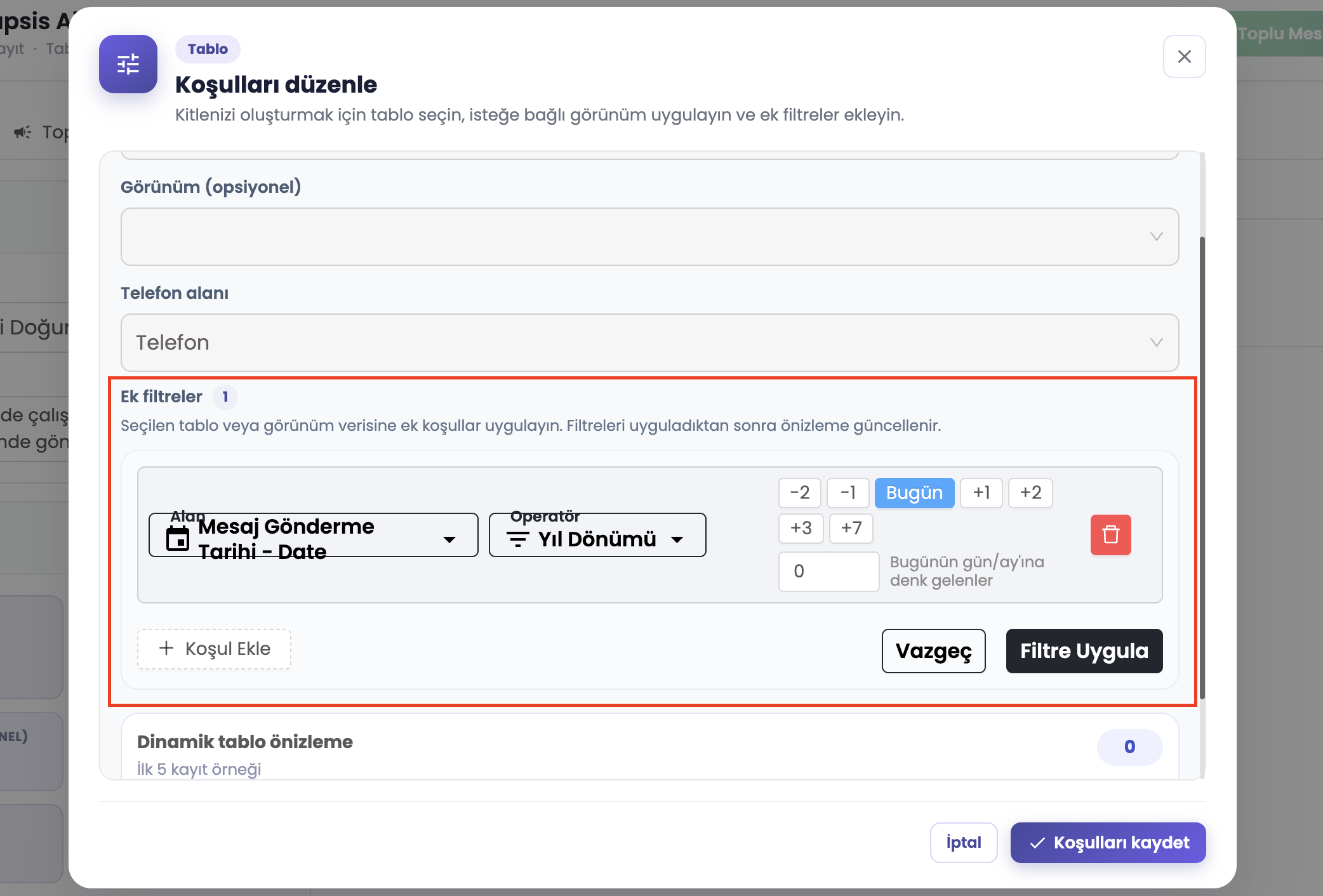
a – Anniversary Operator
This is the area where the "Anniversary" option is determined as the operator after selecting the relevant date field from the filter menu. This operator ignores the year and time in the registration date; it only checks the day and month match.
b – Day Offset / Quick Options
This is the part that determines which day the filter will be applied to. "Today" is selected by default. If desired, quick options such as +1, +2, +3, +7 can be selected, or a day offset value (e.g., -2 or +5) can be entered manually. 0 represents today, positive values represent the future, and negative values represent the past.
c – Apply Filter Button
It is used to list the records in the table according to the selected month, day, and offset settings.
1.b – Right-Click Quick Filter Menu
To perform a faster filtering process directly on the table, you can right-click on any cell to open the field-type context menu:
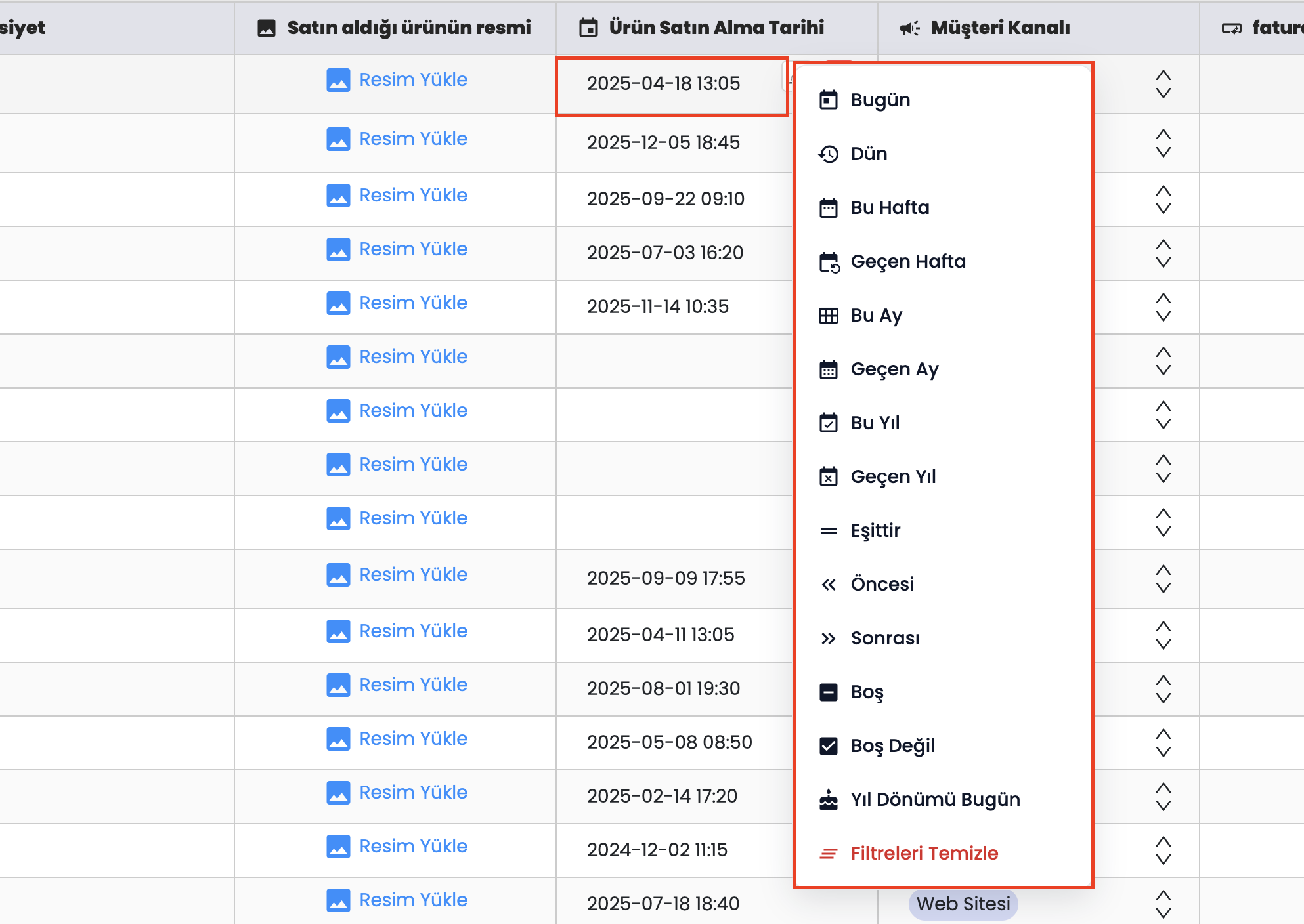
- d – Date Cell Right-Click Menu: A dynamic quick action popup menu that opens when right-clicking on any date/datetime cell in the table. Options such as Today, Yesterday, This Week, Last Week, This Month, Last Month, This Year, Last Year, Equals, Before, After, Is Empty, and Is Not Empty can be applied with a single click.
- e – Anniversary Today Action: The Anniversary Today action in the right-click date menu filters all records whose month and day match today's date, ignoring year and time values.
- f – Clear Filters: Instantly removes the filter applied to the cell.
1.c – Filtered Results and Scenarios
After applying the anniversary filter, the matching data is reflected in the table. This way, you can speed up all your operations without manually entering a date range.
f – Matching Records (Birthday, Policy, etc.)
These are the records listed as a result of the filter. Thanks to this view; customers' birthdays today, policies that will expire 3 days from today (+3 offset), or annual contract renewal dates can be easily identified.
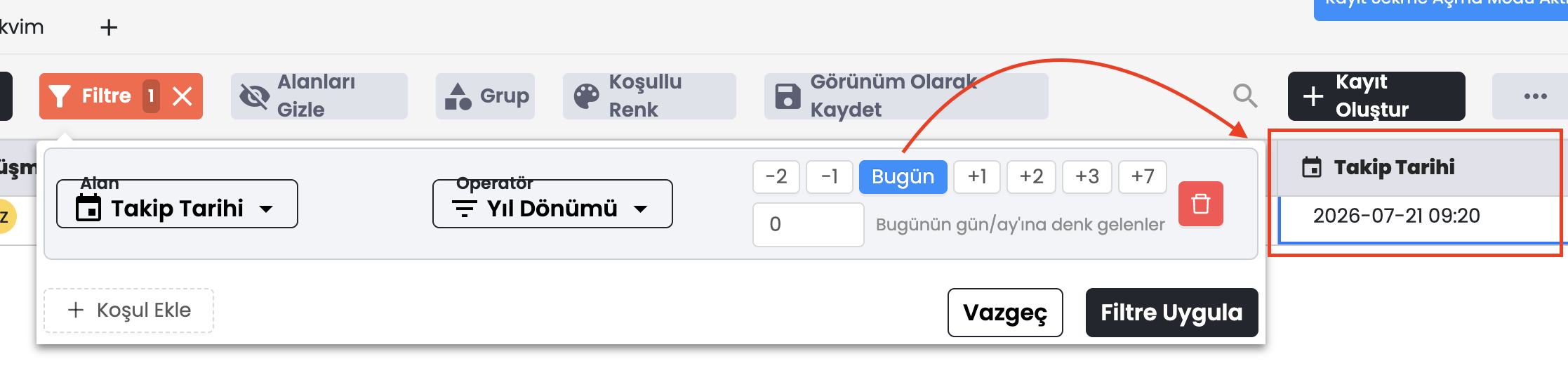
The Anniversary Filter enables customers to perform year-independent tracking in date fields. It offers great convenience in business processes by eliminating the necessity of setting dates manually in operations such as birthday, renewal date, end date, or annual reminder.